← Back to library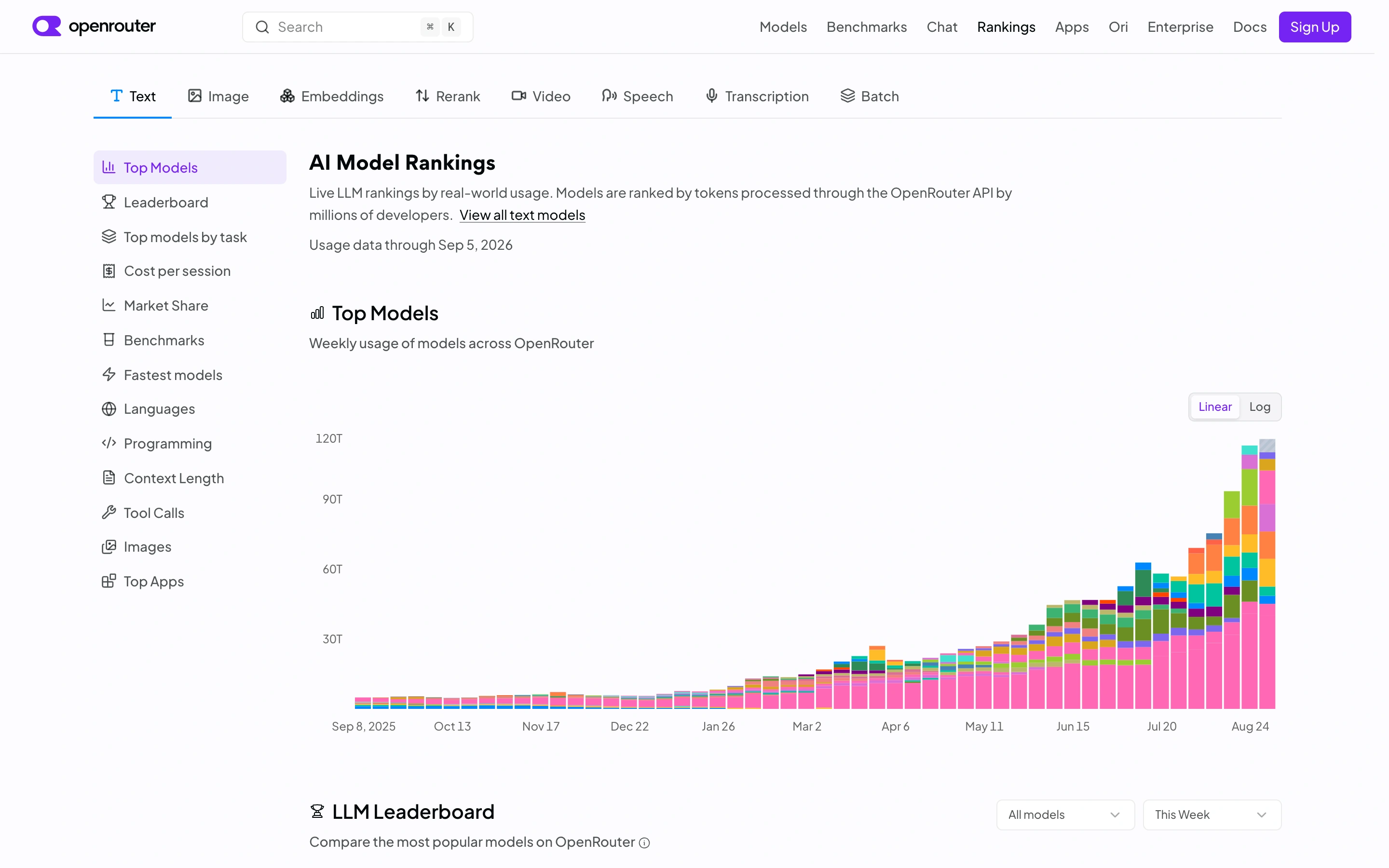
Viewport capture · opening screen Assembled in your browser. No API key or AI request needed. Changing the fields refreshes the preview.
OpenRouter — Model rankings
Analytics DashboardSee it liveopenrouter.ai
A public model-ranking page places provider filters beside a stacked usage chart.
Why this pattern works
Pair comparison filters with a shared visualization and methodology context.
Design notes
- Surface
- A public model-ranking page places provider filters beside a stacked usage chart.
- Navigation
- Global navigation, modality tabs and a left ranking index.
- Layout
- Sidebar plus a broad time-series visualization.
- Density
- High
- Color
- White with multicolor chart segments
- Type
- Compact navigation and readable chart labels.
- Pattern
- Pair comparison filters with a shared visualization and methodology context.
- States
- Public rankings at capture time; no performance claim is inferred from the chart.
- Don't
- Adapt the layout to your own product and supported capabilities; write your own examples and keep important actions clearly labeled.
Make it your own
Turn this reference into a useful brief for your project. Copy it into the AI tool you already use.