← Back to library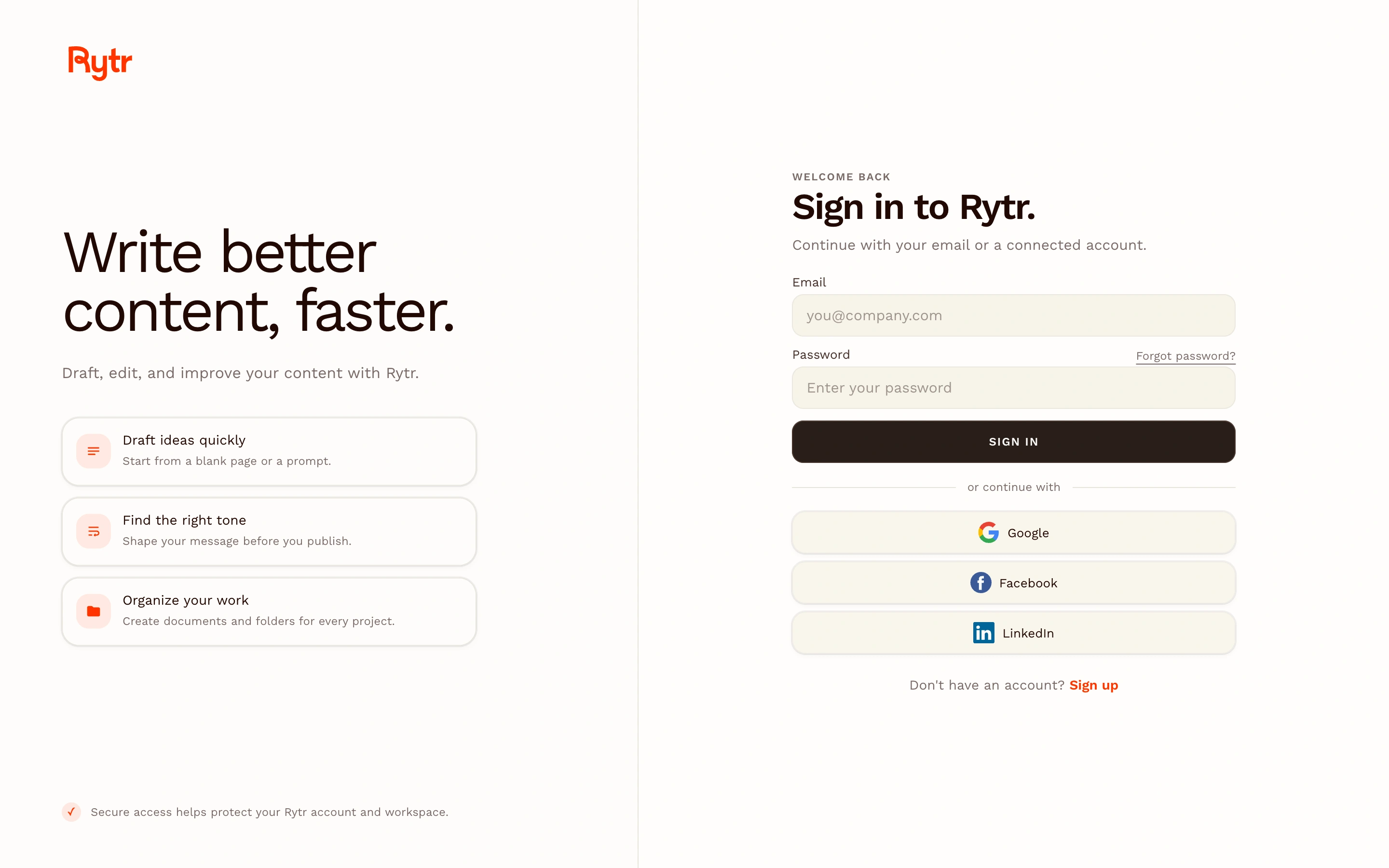
Viewport capture · opening screen Assembled in your browser. No API key or AI request needed. Changing the fields refreshes the preview.
Rytr — Sign-in screen
Forms & OnboardingSee it liveapp.rytr.me
A two-column writing-app sign-in places example tasks beside a form with several identity-provider options.
Why this pattern works
Explain the product while preserving a clear authentication path.
Design notes
- Surface
- A two-column writing-app sign-in places example tasks beside a form with several identity-provider options.
- Navigation
- Minimal header with primary form navigation
- Layout
- Writing benefits left and authentication form right
- Density
- Focused controls with comfortable spacing.
- Color
- Cream, brown and orange accents
- Type
- Clear heading hierarchy and readable form labels.
- Pattern
- Explain the product while preserving a clear authentication path.
- States
- Public sign-in screen; authenticated writing workspace not captured.
- Don't
- Adapt the layout to your own product and supported capabilities; write your own examples and keep important actions clearly labeled.
Make it your own
Turn this reference into a useful brief for your project. Copy it into the AI tool you already use.