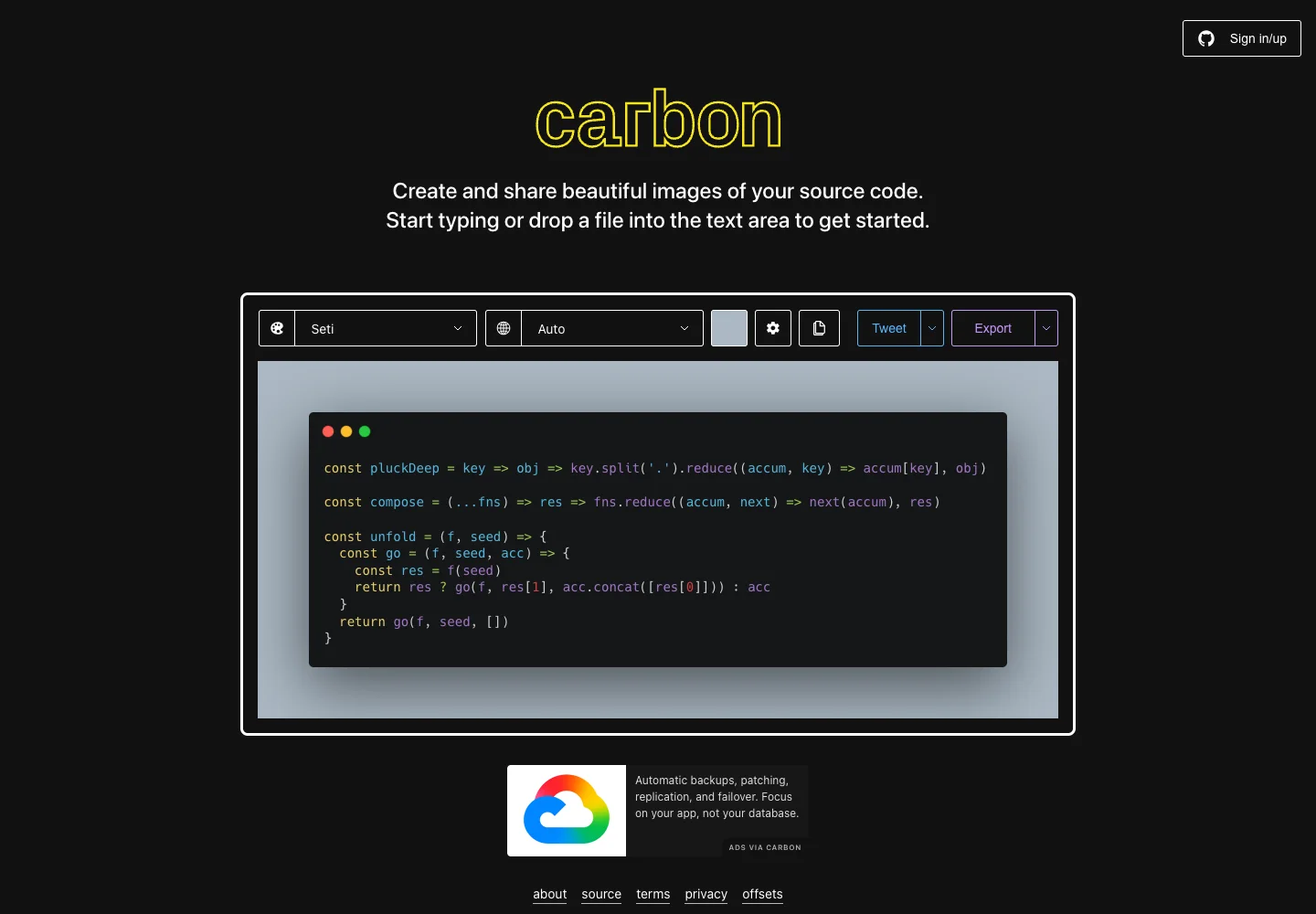
Let users edit the content inside the visual output while adjusting presentation nearby.
Design notes
Surface
Code image editor
Navigation
Presentation settings form a short local toolbar rather than a large global sidebar.
Layout
The sample code sits inside a framed image preview, with theme, language, and export controls above.
Density
Primary content has the most space; repeated rows and secondary navigation use a compact, consistent rhythm.
Color
Dark page, syntax-colored code, and a contrasting background around the snippet.
Type
Keep the snippet readable at preview size and use a compact toolbar for repeated choices.
Pattern
Let users edit the content inside the visual output while adjusting presentation nearby.
States
The built-in sample snippet is shown; no code image was exported or shared.
Don't
Adapt the interaction pattern to your own product. Do not copy brand assets, sample identities, proprietary text, or assume unseen states. Specify keyboard behavior, loading, empty, error, and narrow-screen layouts for your implementation.
Make it your own
Turn this reference into a useful brief for your project. Copy it into the AI tool you already use.
Add constraintsPreview & edit promptAssembled in your browser. No API key or AI request needed. Changing the fields refreshes the preview.