← Back to library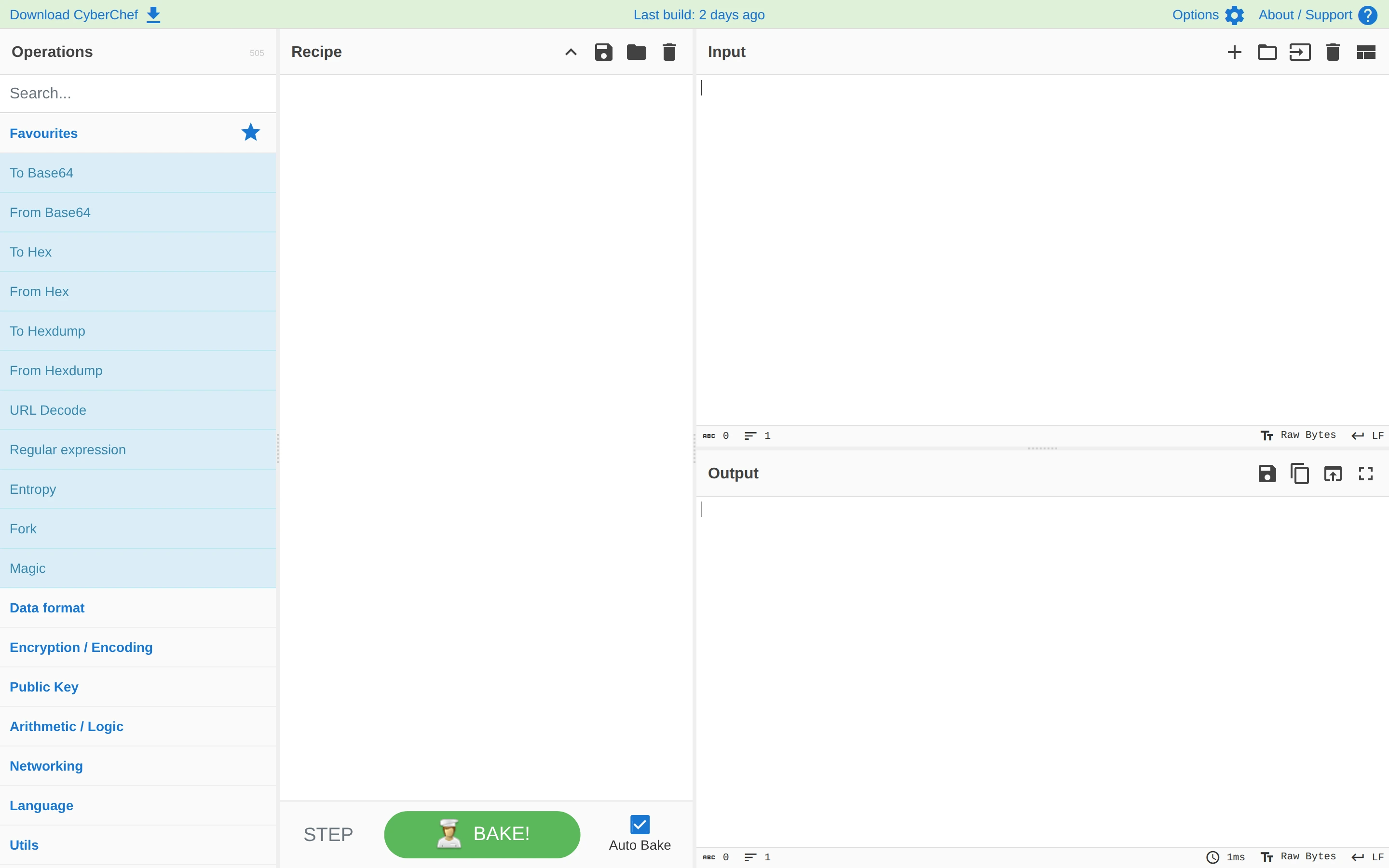
Viewport capture · opening screen Assembled in your browser. No API key or AI request needed. Changing the fields refreshes the preview.
CyberChef — Data transformation
Editors & ToolsSee it livegchq.github.io
An operation library, recipe column and stacked input/output panels divide a data transformation into clear stages.
Why this pattern works
An operation library, recipe column and stacked input/output panels divide a data transformation into clear stages.
Design notes
- Surface
- CyberChef — Data transformation
- Navigation
- Three-column workspace with operations at left, recipe in the center and data at right.
- Layout
- Three-column workspace with operations at left, recipe in the center and data at right.
- Density
- Compact supporting controls preserve space for the primary content.
- Color
- White, pale blue and green
- Type
- Small utility labels with monospaced text where code or structured data is visible.
- Pattern
- An operation library, recipe column and stacked input/output panels divide a data transformation into clear stages.
- States
- Public opening screen as captured; subsequent actions and authenticated states were not tested.
- Don't
- Use the structure as a reference, with your own content and identity. This still does not establish the behavior of controls or unseen states.
Make it your own
Turn this reference into a useful brief for your project. Copy it into the AI tool you already use.