← Back to library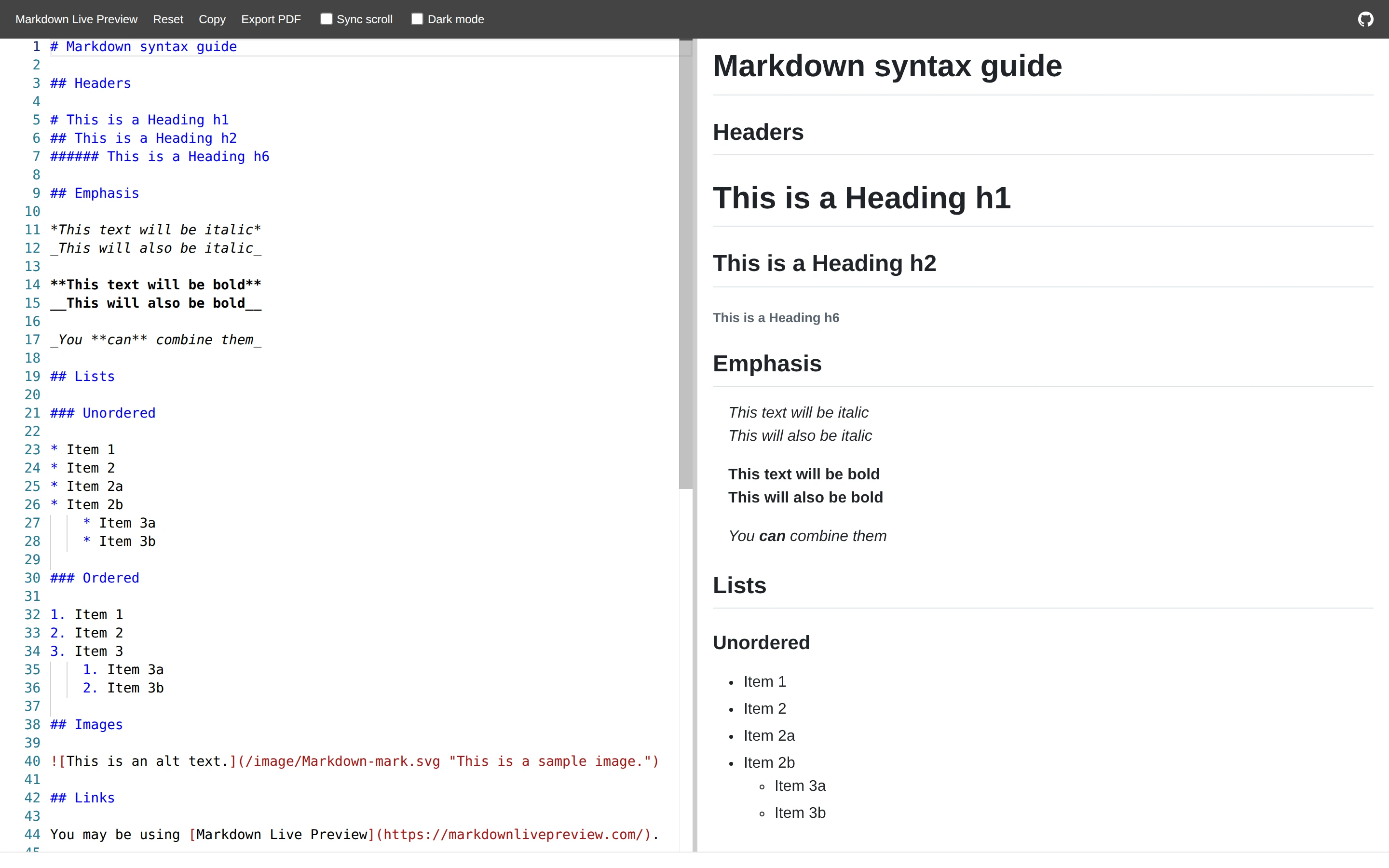
Viewport capture · opening screen Assembled in your browser. No API key or AI request needed. Changing the fields refreshes the preview.
Markdown Live Preview — Editor
Editors & ToolsSee it livemarkdownlivepreview.com
Markdown source and rendered headings are shown in equal-height columns, making syntax and result easy to compare.
Why this pattern works
Markdown source and rendered headings are shown in equal-height columns, making syntax and result easy to compare.
Design notes
- Surface
- Markdown Live Preview — Editor
- Navigation
- Two-pane source and preview workspace beneath a thin menu bar.
- Layout
- Two-pane source and preview workspace beneath a thin menu bar.
- Density
- Compact supporting controls preserve space for the primary content.
- Color
- White, gray and blue syntax accents
- Type
- Small utility labels with monospaced text where code or structured data is visible.
- Pattern
- Markdown source and rendered headings are shown in equal-height columns, making syntax and result easy to compare.
- States
- Public example or template in its captured initial state; visible sample data is demonstration content.
- Don't
- Use the structure as a reference, with your own content and identity. This still does not establish the behavior of controls or unseen states.
Make it your own
Turn this reference into a useful brief for your project. Copy it into the AI tool you already use.