← Back to library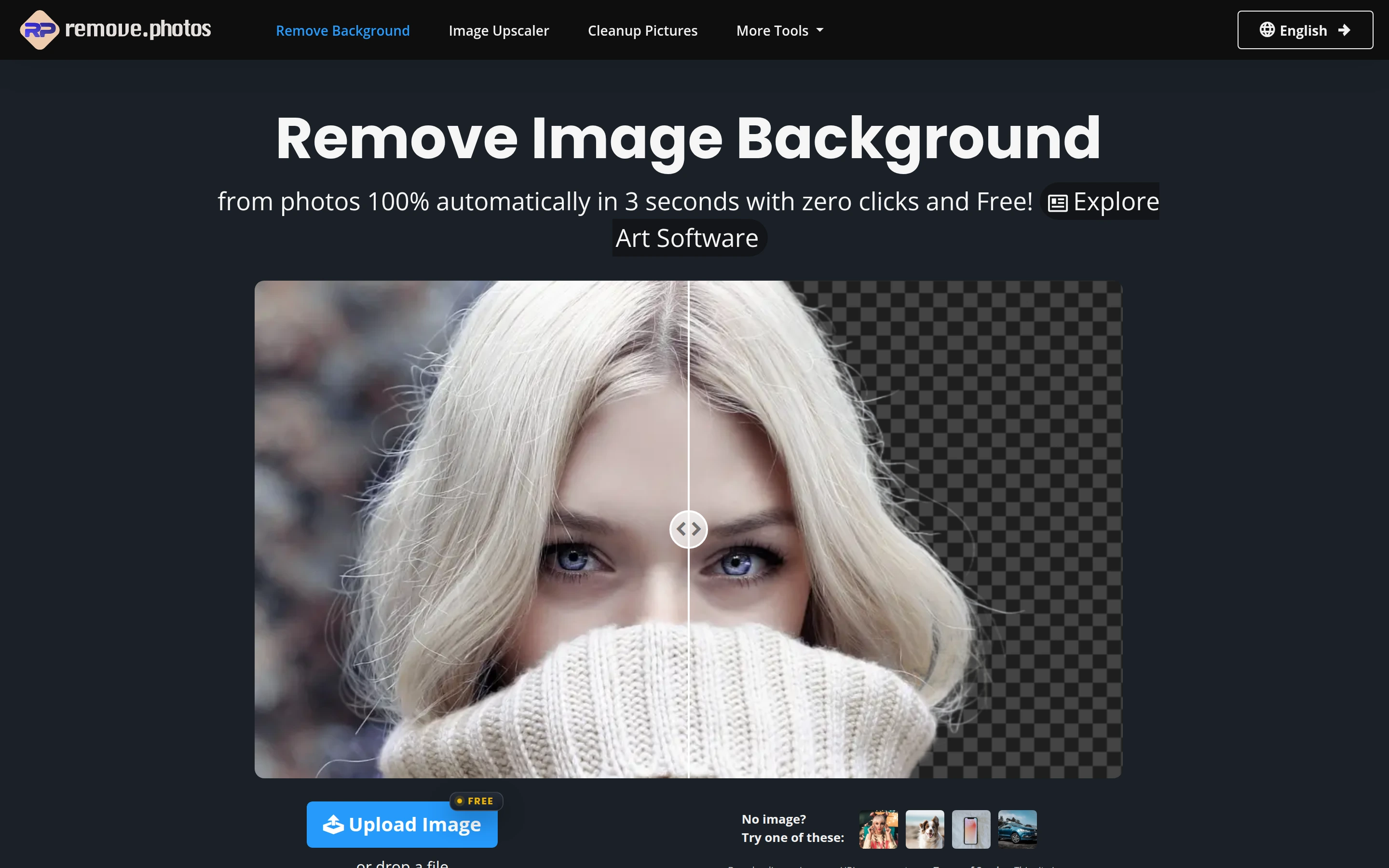
Viewport capture · opening screen Assembled in your browser. No API key or AI request needed. Changing the fields refreshes the preview.
remove.photos — Upload and comparison example
Forms & OnboardingSee it liveremove.photos
A before/after portrait demonstrates the intended result immediately above the primary image-upload action.
Why this pattern works
A before/after portrait demonstrates the intended result immediately above the primary image-upload action.
Design notes
- Surface
- Remove Photos — Background editor
- Navigation
- Centered comparison image, upload button and a short strip of sample thumbnails.
- Layout
- Centered comparison image, upload button and a short strip of sample thumbnails.
- Density
- Focused form controls with space around the main task.
- Color
- Dark blue, white and bright blue
- Type
- Clear sans-serif labels with stronger section headings and smaller metadata.
- Pattern
- A before/after portrait demonstrates the intended result immediately above the primary image-upload action.
- States
- Public example or template in its captured initial state; visible sample data is demonstration content.
- Don't
- Use the structure as a reference, with your own content and identity. This still does not establish the behavior of controls or unseen states.
Make it your own
Turn this reference into a useful brief for your project. Copy it into the AI tool you already use.