← Back to library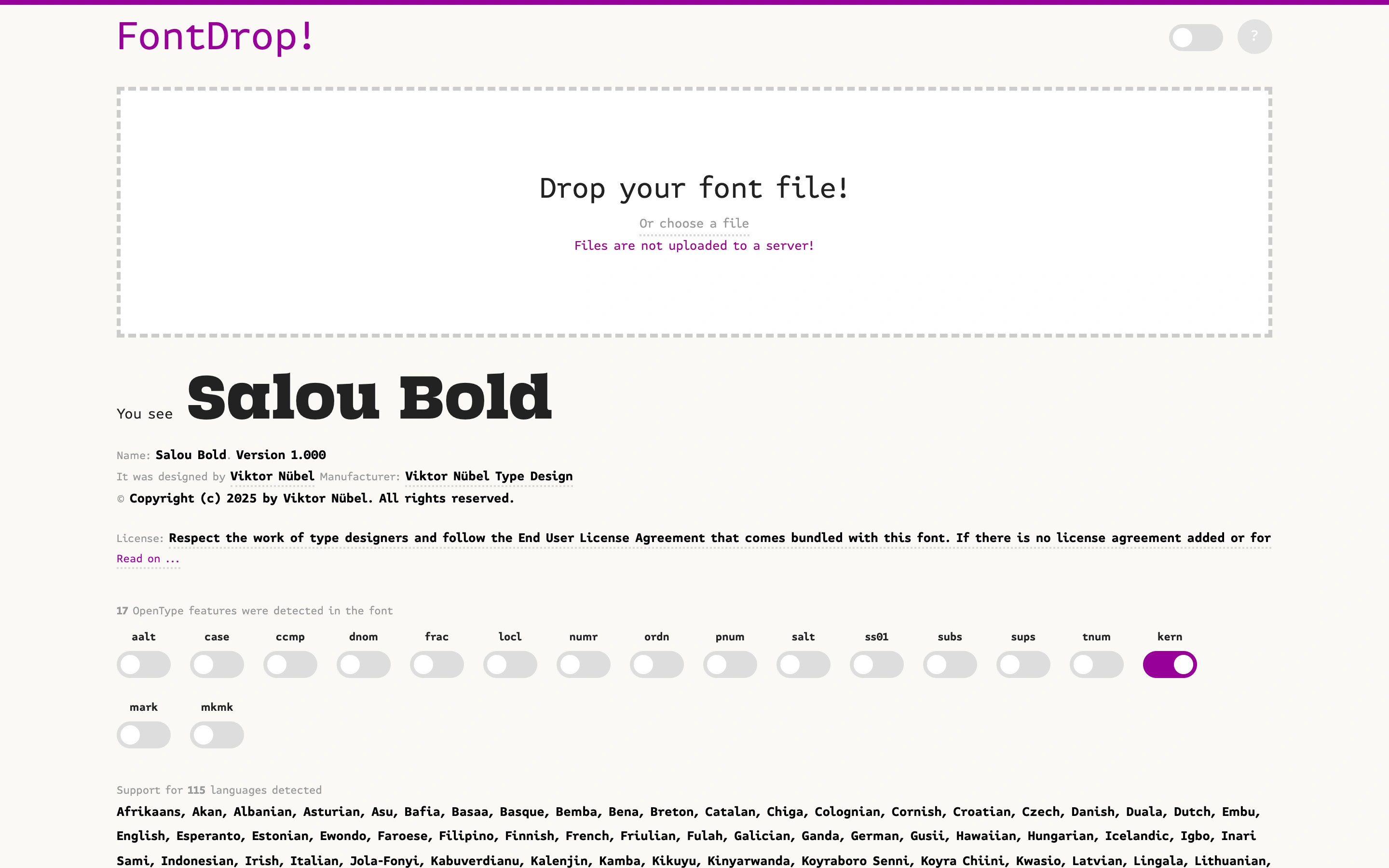
Viewport capture · opening screen Assembled in your browser. No API key or AI request needed. Changing the fields refreshes the preview.
FontDrop — Font inspector
Editors & ToolsSee it livefontdrop.info
A font inspector with a prominent drop zone and an included sample font specimen.
Why this pattern works
Pair a clear file drop target with a useful sample of the output before upload.
Design notes
- Surface
- A font inspector with a prominent drop zone and an included sample font specimen.
- Navigation
- Small utility controls sit in the top header.
- Layout
- Upload area leads into specimen text, font metadata and feature switches.
- Density
- Generous upload space followed by denser technical information.
- Color
- White background, dark specimen type and purple highlights.
- Type
- Monospaced utility text contrasts with the large sample typeface.
- Pattern
- Pair a clear file drop target with a useful sample of the output before upload.
- States
- Initial page with included sample font; no user file uploaded.
- Don't
- Adapt the workflow and sample content to your own product; preserve clear labels and accessible controls.
Make it your own
Turn this reference into a useful brief for your project. Copy it into the AI tool you already use.