← Back to library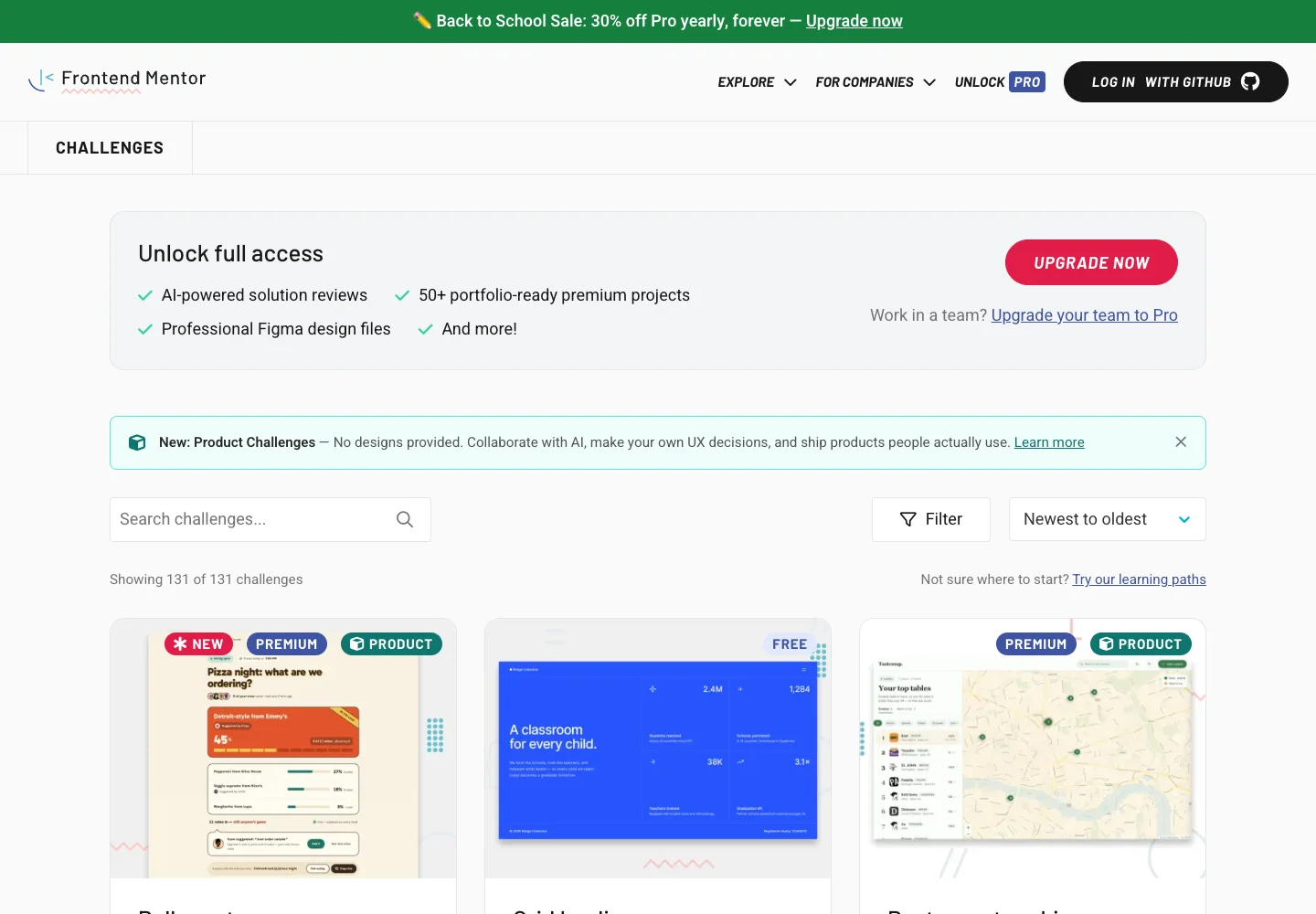
Page excerpt · scroll inside to explore Assembled in your browser. No API key or AI request needed. Changing the fields refreshes the preview.
Frontend Mentor — Challenges
Browse & DiscoverySee it livefrontendmentor.io
A practice catalog pairs interface previews with difficulty and technology metadata.
Why this pattern works
Make scope and skill requirements comparable before someone opens a challenge.
Design notes
- Surface
- Challenges
- Navigation
- Search, filtering, and sorting stay above the challenge grid.
- Layout
- Preview cards show a project image and supporting challenge metadata.
- Density
- Use consistent spacing within repeated information so headings, values, and secondary details remain easy to compare.
- Color
- Pale content surfaces with dark type and colored preview imagery.
- Type
- Use a clear type hierarchy for the page title, primary content, and supporting labels.
- Pattern
- Make scope and skill requirements comparable before someone opens a challenge.
- States
- Public challenge catalog; paid-plan promotions are separate from the result controls.
- Don't
- Do not copy brand assets or sample records. Preserve keyboard access and design empty, loading, and error states for the actual task.
Make it your own
Turn this reference into a useful brief for your project. Copy it into the AI tool you already use.