← Back to library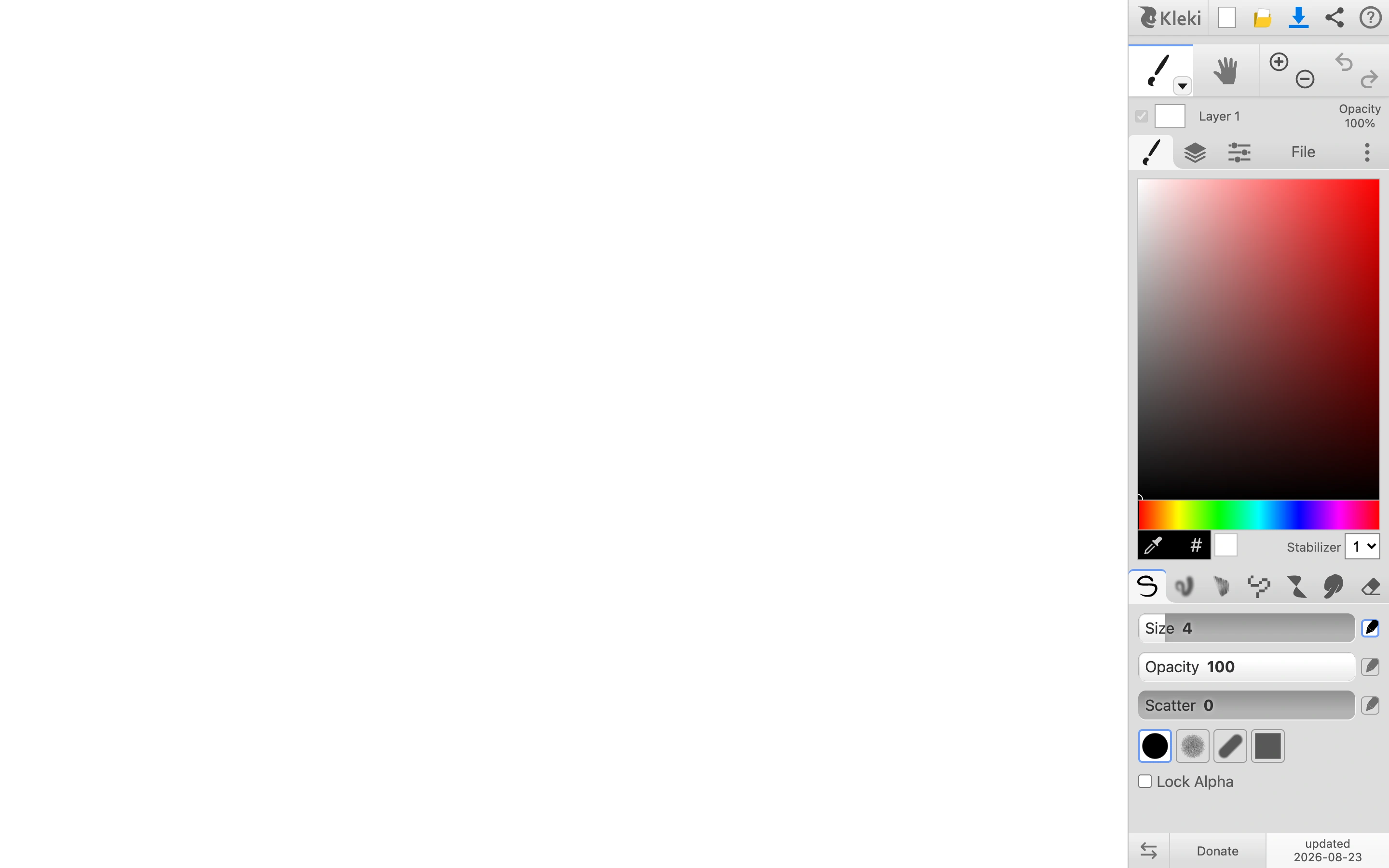
Viewport capture · opening screen Assembled in your browser. No API key or AI request needed. Changing the fields refreshes the preview.
Kleki — Painting workspace
Editors & ToolsSee it livekleki.com
A browser painting workspace in its blank-canvas starting state.
Why this pattern works
Keep the creation surface dominant and group drawing controls by task in one dock.
Design notes
- Surface
- A browser painting workspace in its blank-canvas starting state.
- Navigation
- A narrow tool dock is attached to the right edge of the canvas.
- Layout
- The white canvas fills nearly the entire viewport beside a color picker, brush controls and layers.
- Density
- Sparse canvas with a dense, compact tools column.
- Color
- White drawing area, light grey controls and a saturated color picker.
- Type
- Tiny functional labels keep most space available for artwork.
- Pattern
- Keep the creation surface dominant and group drawing controls by task in one dock.
- States
- Blank initial canvas; no user artwork or uploaded files.
- Don't
- Adapt the workflow and sample content to your own product; preserve clear labels and accessible controls.
Make it your own
Turn this reference into a useful brief for your project. Copy it into the AI tool you already use.