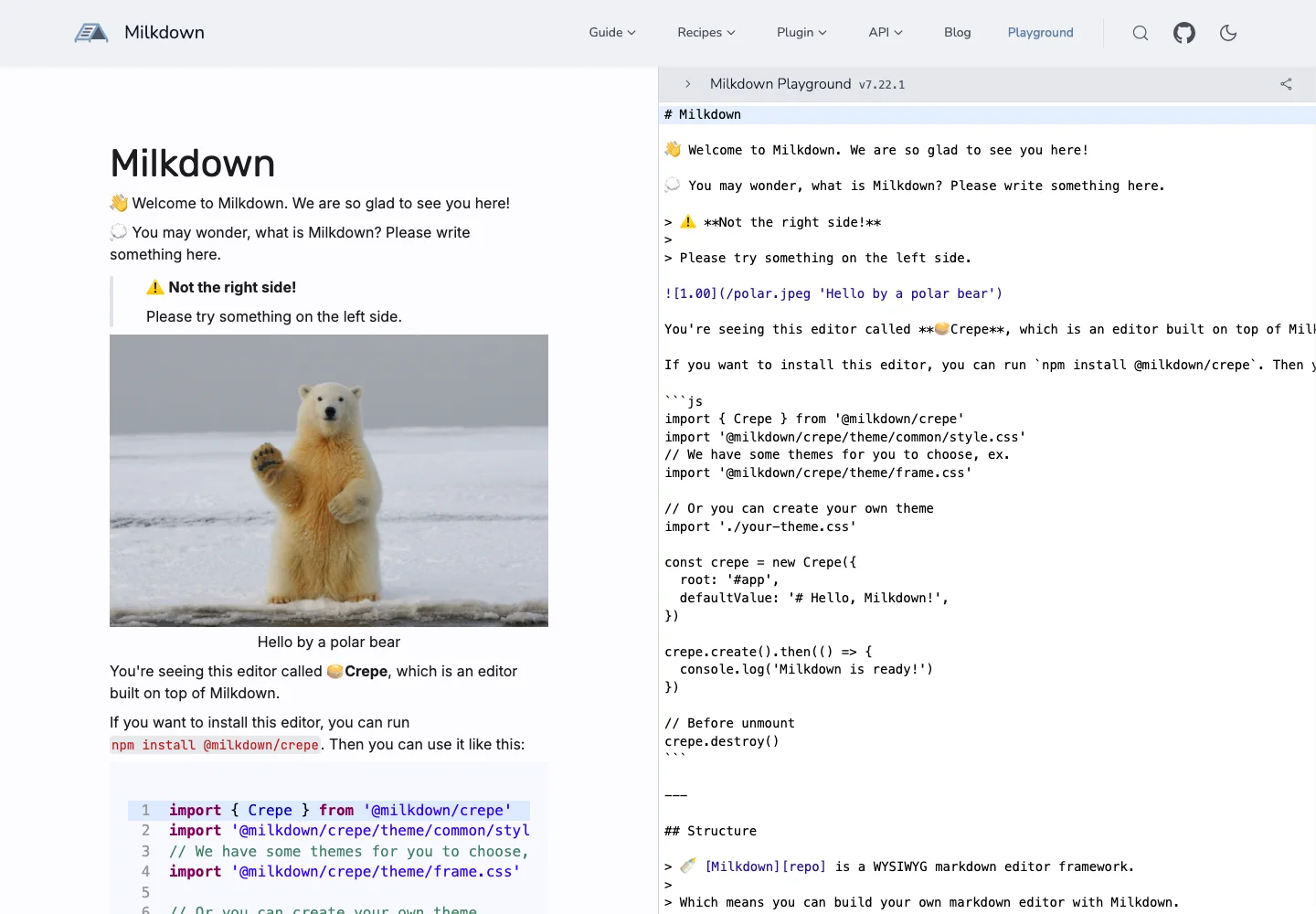
Help users compare source syntax with the formatted result while keeping both in view.
Design notes
Surface
Markdown editor
Navigation
The product header and playground selector sit above the working panes.
Layout
Two tall panes place the formatted article on the left and Markdown on the right.
Density
Primary content has the most space; repeated rows and secondary navigation use a compact, consistent rhythm.
Color
Pale neutral surfaces, dark text, syntax colors, and a sample document image.
Type
Rendered headings and body text contrast with the source pane's monospace syntax.
Pattern
Help users compare source syntax with the formatted result while keeping both in view.
States
Public editor playground displaying its supplied starter document.
Don't
Adapt the interaction pattern to your own product. Do not copy brand assets, sample identities, proprietary text, or assume unseen states. Specify keyboard behavior, loading, empty, error, and narrow-screen layouts for your implementation.
Make it your own
Turn this reference into a useful brief for your project. Copy it into the AI tool you already use.
Add constraintsPreview & edit promptAssembled in your browser. No API key or AI request needed. Changing the fields refreshes the preview.