← Back to library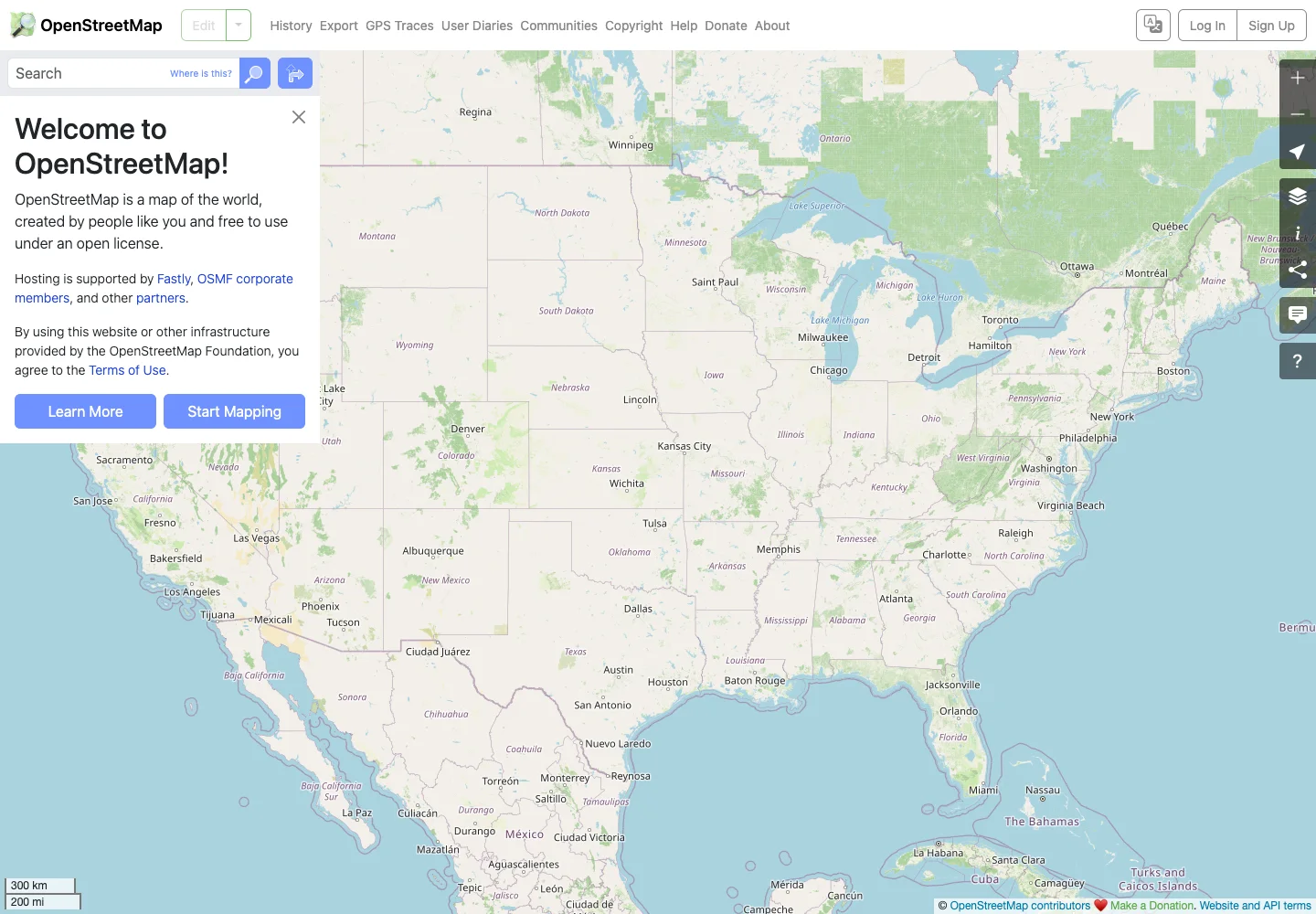
Page excerpt · scroll inside to explore Assembled in your browser. No API key or AI request needed. Changing the fields refreshes the preview.
OpenStreetMap — Map browser
Maps & SearchSee it liveopenstreetmap.org
A map browser gives the geographic canvas priority over compact controls.
Why this pattern works
Keep search and map actions discoverable without covering the map.
Design notes
- Surface
- Map browser
- Navigation
- Search stays at the upper left; map controls form a small edge-aligned stack.
- Layout
- The map fills the screen behind a compact search and introductory panel.
- Density
- Use consistent spacing within repeated information so headings, values, and secondary details remain easy to compare.
- Color
- Muted map colors with clear roads, water, and geographic labels.
- Type
- Use a clear type hierarchy for the page title, primary content, and supporting labels.
- Pattern
- Keep search and map actions discoverable without covering the map.
- States
- Public default map view with the welcome panel visible.
- Don't
- Do not copy brand assets or sample records. Preserve keyboard access and design empty, loading, and error states for the actual task.
Make it your own
Turn this reference into a useful brief for your project. Copy it into the AI tool you already use.