← Back to library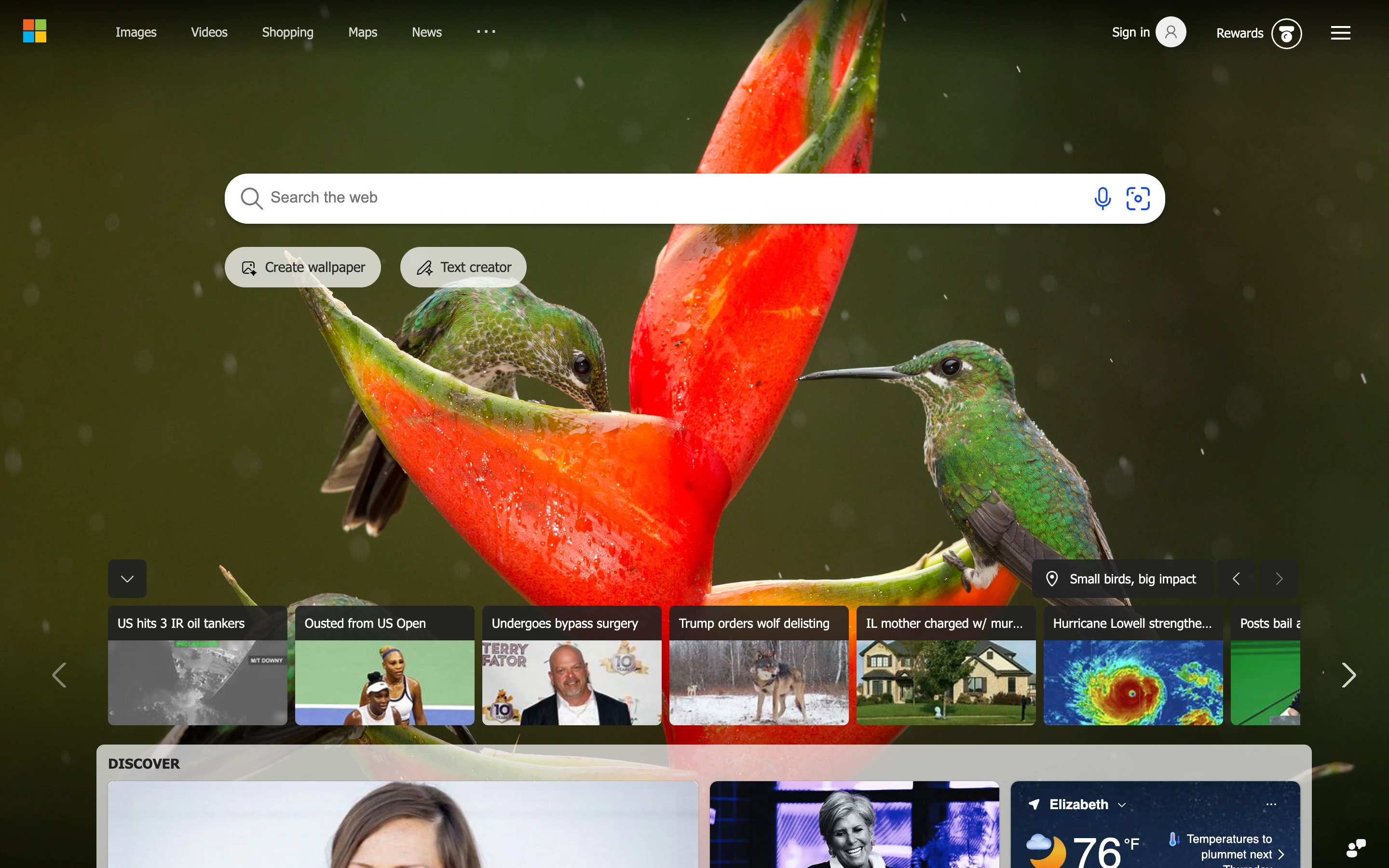
Viewport capture · opening screen Assembled in your browser. No API key or AI request needed. Changing the fields refreshes the preview.
Bing — Search start
Search & DiscoverySee it livebing.com
A large search field sits over full-screen photography, with lightweight utilities and smaller discovery links around it.
Why this pattern works
Search start pages that need a strong primary input and optional exploration.
Design notes
- Surface
- Bing public search homepage.
- Navigation
- Small service links at the top with account utilities on the opposite side.
- Layout
- Prominent search input over a photographic canvas, with supplemental discovery content below.
- Density
- Low around the search input; more compact near discovery links.
- Color
- Photography supplies the palette, supported by white controls and dark overlays.
- Type
- Clean sans utility labels.
- Pattern
- Protect an uncluttered input zone while letting secondary content occupy the edges.
- States
- Unsigned homepage; search results and suggestions are not shown.
- Don't
- Do not let a detailed background reduce input contrast or distract from typing.
Make it your own
Turn this reference into a useful brief for your project. Copy it into the AI tool you already use.