← Back to library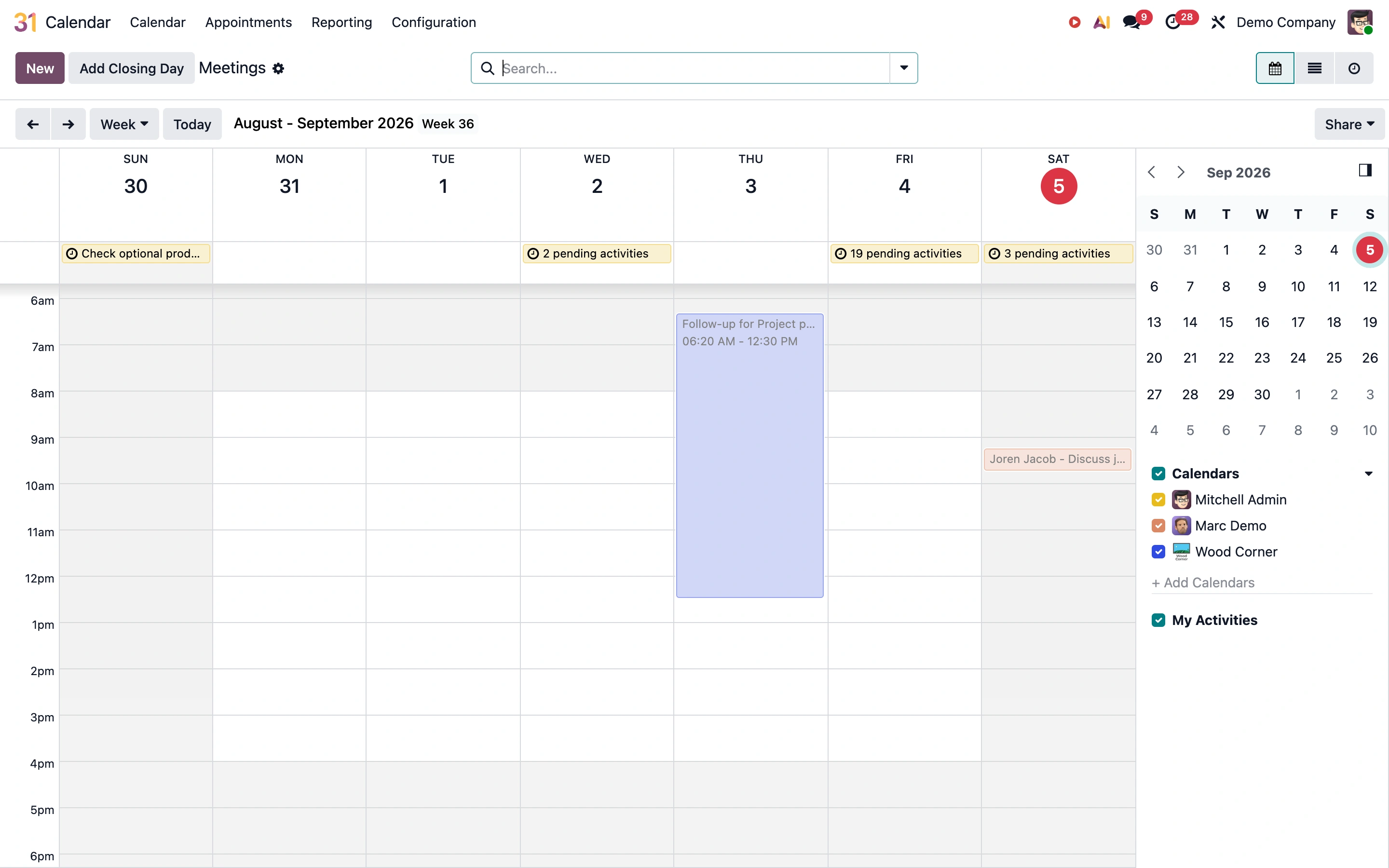
Viewport capture · opening screen Assembled in your browser. No API key or AI request needed. Changing the fields refreshes the preview.
Odoo — Calendar demo
Calendar & SchedulingSee it livedemo5.odoo.com
A weekly time grid places all-day items above hourly appointments, with a mini calendar and calendar-owner filters in a right rail.
Why this pattern works
Team calendars that need both precise scheduling and quick navigation between dates.
Design notes
- Surface
- Odoo public Demo Company Calendar, week view.
- Navigation
- Calendar module links above Today, date navigation, view selection, and search.
- Layout
- Seven-day time grid with an all-day row and a narrow right sidebar.
- Density
- Moderate, keeping time slots readable and sidebar controls compact.
- Color
- White and gray grid, pale colored event blocks, small calendar-color markers.
- Type
- Compact day/date labels and small event text.
- Pattern
- Separate all-day and timed events while keeping date navigation and calendar visibility close by.
- States
- Public demo with sample meetings; no event was opened, added, or edited.
- Don't
- Use more than color to distinguish calendars and preserve readable event text in narrow cells.
Make it your own
Turn this reference into a useful brief for your project. Copy it into the AI tool you already use.