← Back to library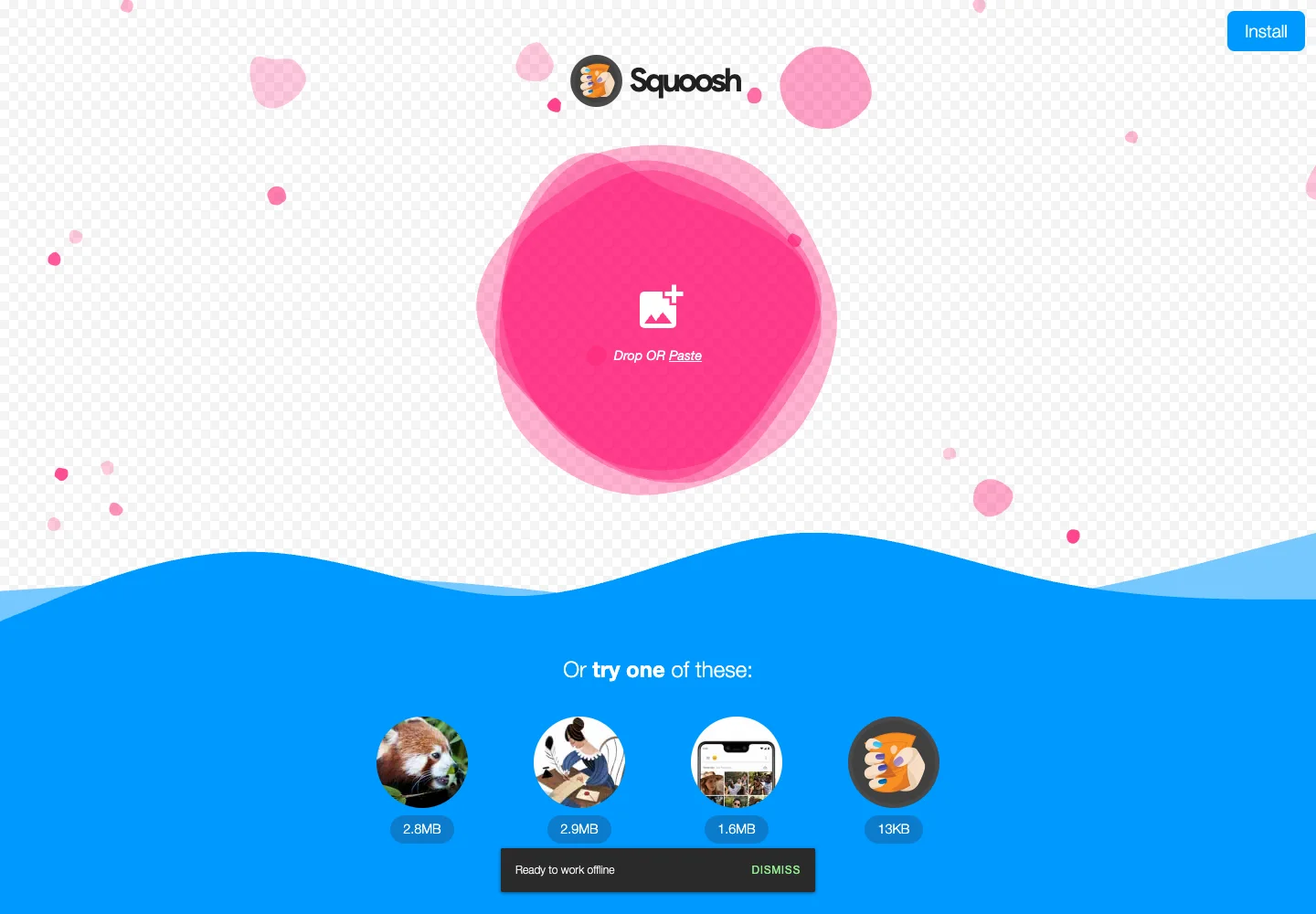
Page excerpt · scroll inside to explore Assembled in your browser. No API key or AI request needed. Changing the fields refreshes the preview.
Squoosh — Image compression
Creative ToolsSee it livesquoosh.app
A focused image tool opens with one clear upload target and minimal chrome.
Why this pattern works
Separate importing an image from the detailed comparison and compression controls that follow.
Design notes
- Surface
- Image compression
- Navigation
- A small install action stays apart from the upload task.
- Layout
- Centered drop target above a row of supplied example images.
- Density
- Keep the working area large; use compact labels for controls without shrinking the editing text.
- Color
- Pink upload area, blue lower field, and a pale checkerboard background.
- Type
- Use a clear type hierarchy for the page title, primary content, and supporting labels.
- Pattern
- Separate importing an image from the detailed comparison and compression controls that follow.
- States
- Initial upload screen; no user image has been opened.
- Don't
- Do not copy brand assets or sample records. Preserve keyboard access and design empty, loading, and error states for the actual task.
Make it your own
Turn this reference into a useful brief for your project. Copy it into the AI tool you already use.