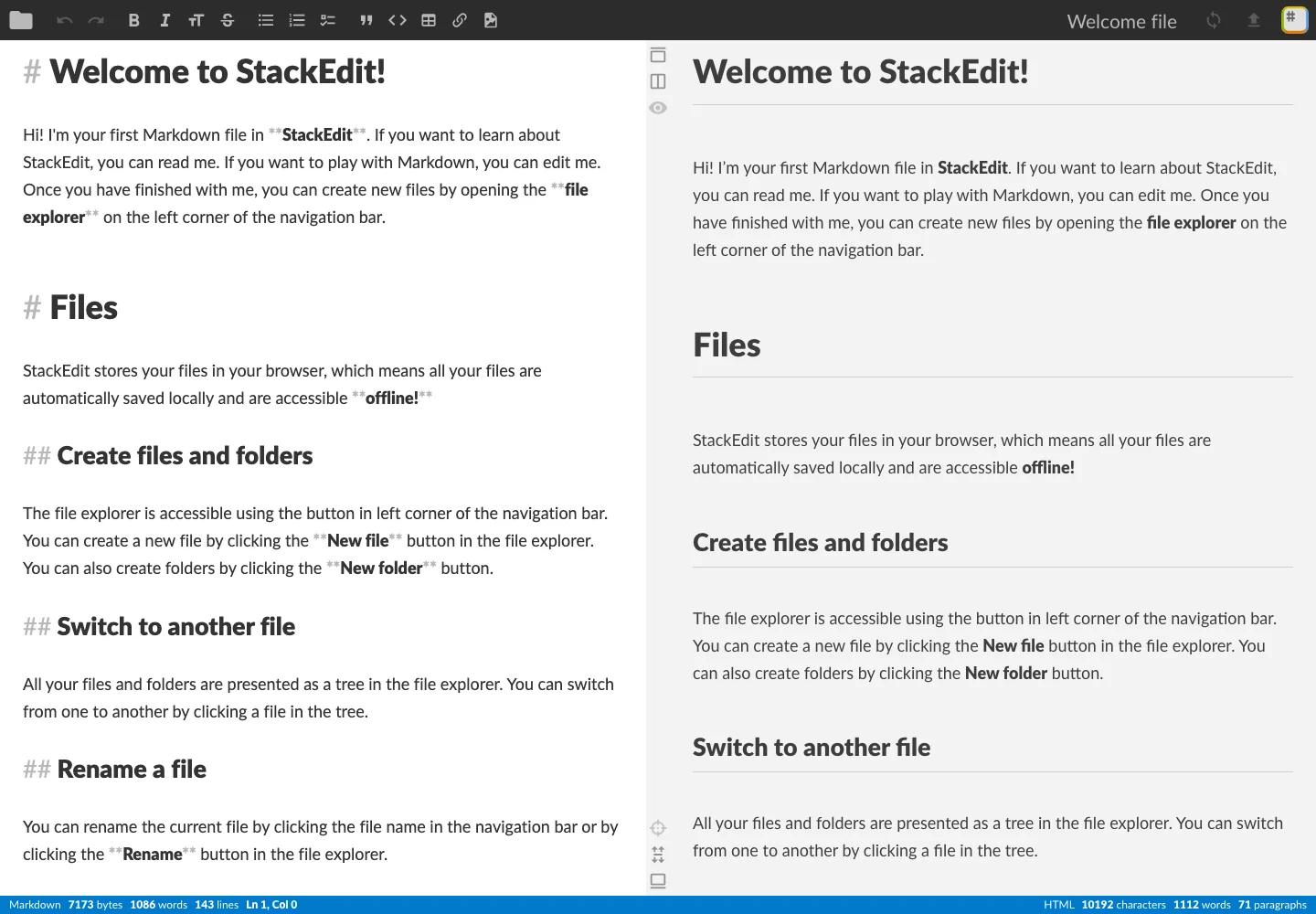
Keep source editing and preview together without letting surrounding controls dominate the writing area.
Design notes
Surface
Markdown workspace
Navigation
File navigation, formatting tools, preview controls, and workspace menu are separated in the top bar.
Layout
Two equal document panes occupy the screen, with file identity and editing controls across the top.
Density
Primary content has the most space; repeated rows and secondary navigation use a compact, consistent rhythm.
Color
Dark toolbar over white and pale-gray document surfaces.
Type
Readable document headings and body text appear alongside the corresponding Markdown source.
Pattern
Keep source editing and preview together without letting surrounding controls dominate the writing area.
States
Public app with its built-in welcome document; tutorial and installation prompts dismissed.
Don't
Adapt the interaction pattern to your own product. Do not copy brand assets, sample identities, proprietary text, or assume unseen states. Specify keyboard behavior, loading, empty, error, and narrow-screen layouts for your implementation.
Make it your own
Turn this reference into a useful brief for your project. Copy it into the AI tool you already use.
Add constraintsPreview & edit promptAssembled in your browser. No API key or AI request needed. Changing the fields refreshes the preview.