Stripe — API reference
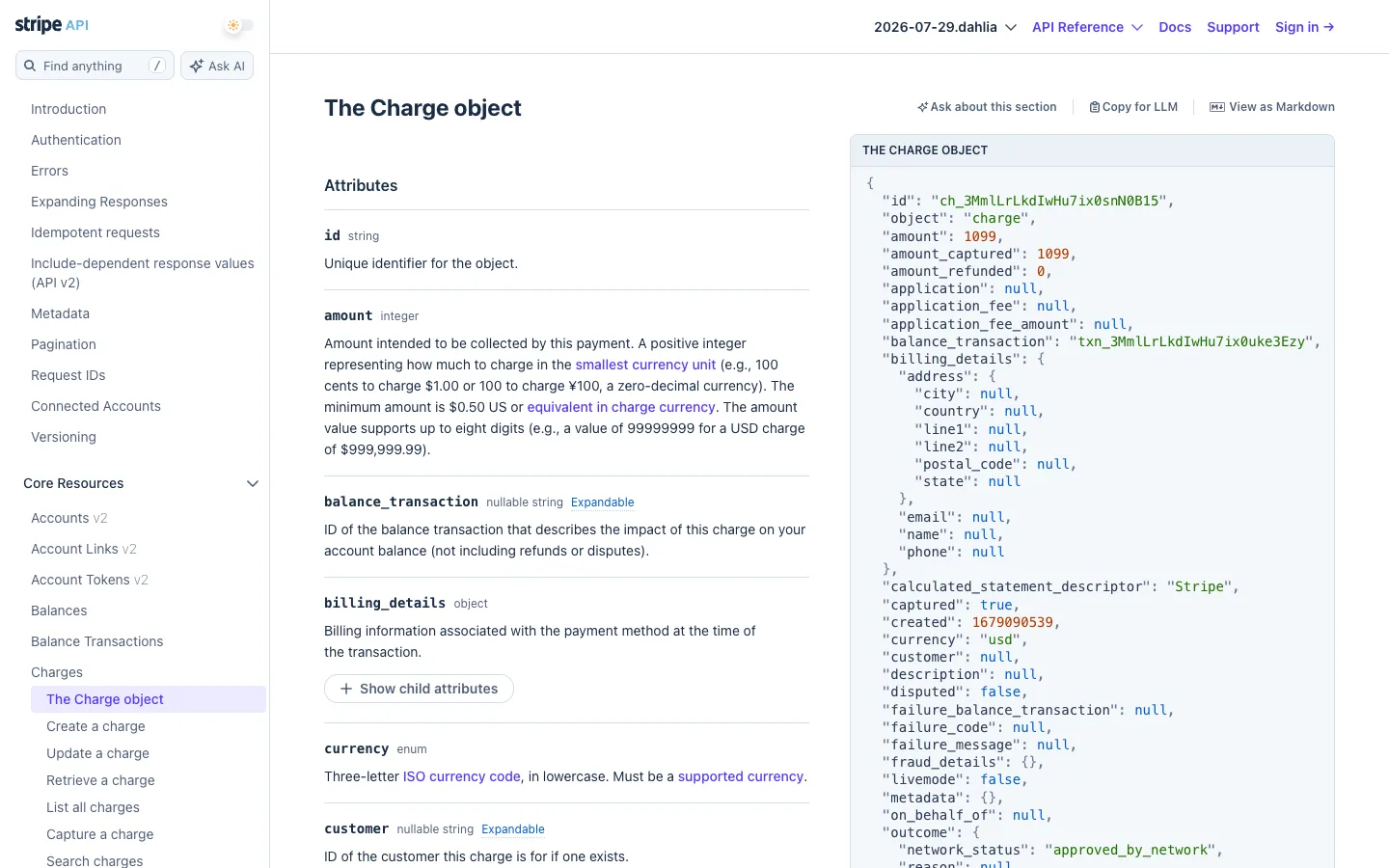
The right-hand code panel is dark, pinned, and never scrolls — while the middle column of prose moves past it, the literal JSON response for the object you're reading stays fixed in your peripheral vision the entire time.
Why this pattern works
The pinned dark reference panel: for any 'documentation plus live example' layout, freeze the example column while the explanation column scrolls beneath its own header, so prose becomes an annotation of a permanent object instead of a wall of text with occasional code blocks. Pair it with the small 'Copy for LLM' / 'View as Markdown' utility row above the prose — a near-free feature that signals the docs were built for machine consumption too.
Design notes
- Surface
- Stripe API Reference, Core Resources > Charges > The Charge object page
- Navigation
- Two tiers. A top utility bar (search with a '/' shortcut, Ask AI, API version switcher, Docs/Support/Sign in) sits above a left sidebar tree — a flat list of guide pages, then a collapsible 'Core Resources' group whose active leaf gets a filled lavender pill. No breadcrumb trail needed; the tree itself is the path.
- Layout
- Three columns: a ~280px sidebar, a fluid prose column, and a ~560px dark code panel pinned to the viewport on the right. Only the sidebar and the prose column scroll — the code panel stays put.
- Density
- Roomy reading density in the prose column (generous line-height, one attribute per block, hairline rule between them) next to a genuinely dense code panel (13px monospace, one key per line, no blank lines) — spec prose relaxed, raw data compact.
- Color
- White canvas, black-and-gray text, and exactly one saturated block: the dark charcoal code panel. Blue is reserved for links and the 'Expandable' badges; a pale lavender fill marks the single active sidebar row. Inside the panel, syntax colour does the only other work on the page — green strings, tan numbers, muted grey punctuation, white keys.
- Type
- Three typefaces, three jobs: a serif display face for the H1 ('The Charge object') signals 'this is a page', sans-serif carries the descriptive prose, and bold monospace marks every literal field name (id, amount, currency) so it reads as a token, not a word.
- Pattern
- The pinned code panel. It never scrolls with the prose, so it functions as a permanent, live receipt of the exact JSON the API returns — every attribute described in English is one eye-flick away from its real key, in the same viewport, at all times.
- States
- The only visible state is 'where am I': the active sidebar leaf gets a solid lavender row against dozens of plain grey ones. Nested objects default collapsed behind a bordered '+ Show child attributes' button so the page doesn't front-load depth nobody asked for.
- Don't
- Don't let the code panel scroll with the page. The instant it moves with the prose it stops being a fixed point of reference and becomes just a third column of content — the whole 'read the sentence, glance at the real value' mechanism depends entirely on it staying still.
Make it your own
Turn this reference into a useful brief for your project. Copy it into the AI tool you already use.