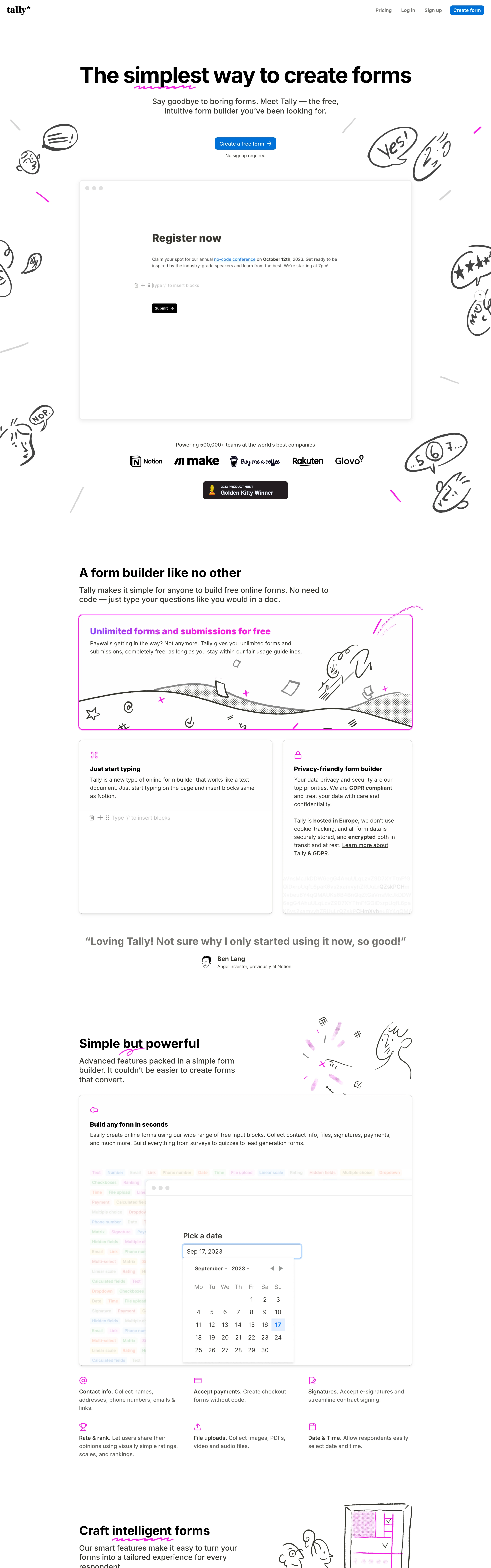
Effortless, honest, indie-friendly. Forms as plain documents you just start typing into. Minimal chrome, zero intimidation, a touch of hand-drawn play.
Colors
White background, near-black text, one saturated blue for the primary button and inline accents. Doodles in black with occasional pink/yellow/purple pops. Otherwise monochrome.
Type
Bold heavy sans display headline ('The simplest way to create forms'), regular sans body, document-like question styling. Tight, confident, no serifs.
Layout
FLOW-FIRST. Document-style form: each question is a typed line with a minimal underline/box input, stacked vertically like a Notion doc, one blue submit at the end — no visual step-gating, you scroll the page. Marketing homepage centers a doodle cluster over a giant headline, subhead, single blue CTA, and 'No signup required' reassurance. Slim top nav, floating help bubble.
Motion
Minimal — hover states on the button, doodles static or with a tiny wiggle, smooth scroll. Restraint is the point.
Texture
Flat white paper, hand-drawn marker doodles as the only ornament, thin dividers, lots of air.
Imagery
Generate: rough black marker doodles (squiggles, arrows, stars, little faces) scattered around the headline, a clean document-style form block (typed questions, underline inputs, one blue submit button), and a tiny circular help bubble bottom-right. Tool: nanobanana for the marker doodles; build the form/document UI in code.
Don't
No gradients, no stacked drop shadows, no heavy illustration, no more than one accent color, no dark mode. Keep it paper-plain with doodle warmth.
Make it your own
Turn this reference into a useful brief for your project. Copy it into the AI tool you already use.
Add constraintsPreview & edit promptAssembled in your browser. No API key or AI request needed. Changing the fields refreshes the preview.