← Back to library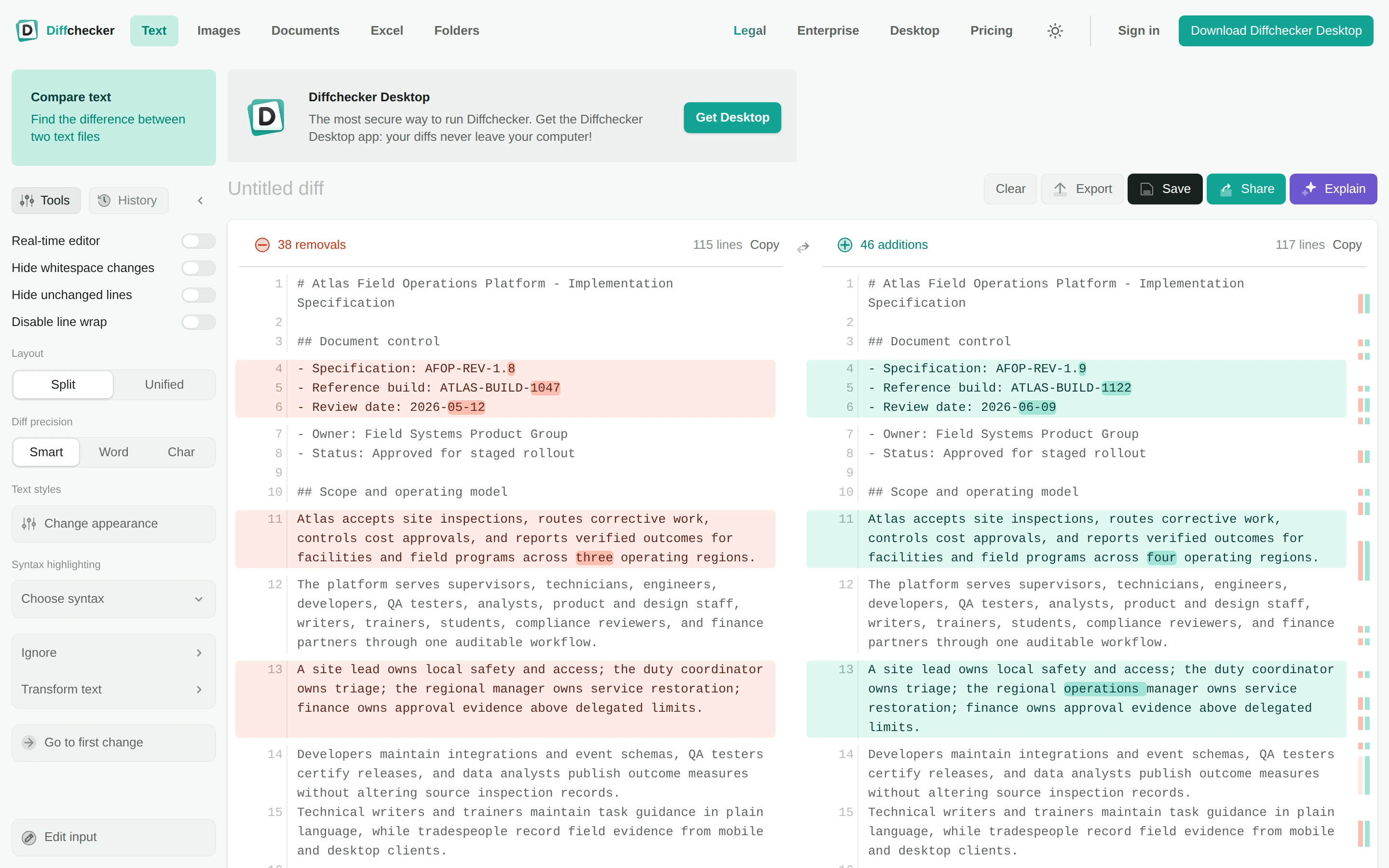
Viewport capture · opening screen Assembled in your browser. No API key or AI request needed. Changing the fields refreshes the preview.
Diffchecker — Text comparison
Developer ToolsSee it livediffchecker.com
Two aligned documents highlight removed passages in red and added passages in green, with comparison options at the left.
Why this pattern works
Align changed documents line by line and reinforce difference counts with matching inline highlight colors.
Design notes
- Surface
- Diffchecker — Text comparison
- Navigation
- Comparison formats sit in the top navigation; display options occupy a narrow side panel.
- Layout
- Parallel text columns align corresponding lines beneath change counts and sharing controls.
- Density
- High text density is organized by line numbers and consistent row alignment.
- Color
- White surfaces, pale red removals, and pale green additions.
- Type
- Small sans-serif labels keep tools and content visually separate.
- Pattern
- Align changed documents line by line and reinforce difference counts with matching inline highlight colors.
- States
- This capture records the visible state only. Loading, error, and later workflow states were not verified.
- Don't
- Adapt the interface pattern with original content, branding, and data; do not infer behavior from a still image.
Make it your own
Turn this reference into a useful brief for your project. Copy it into the AI tool you already use.