← Back to library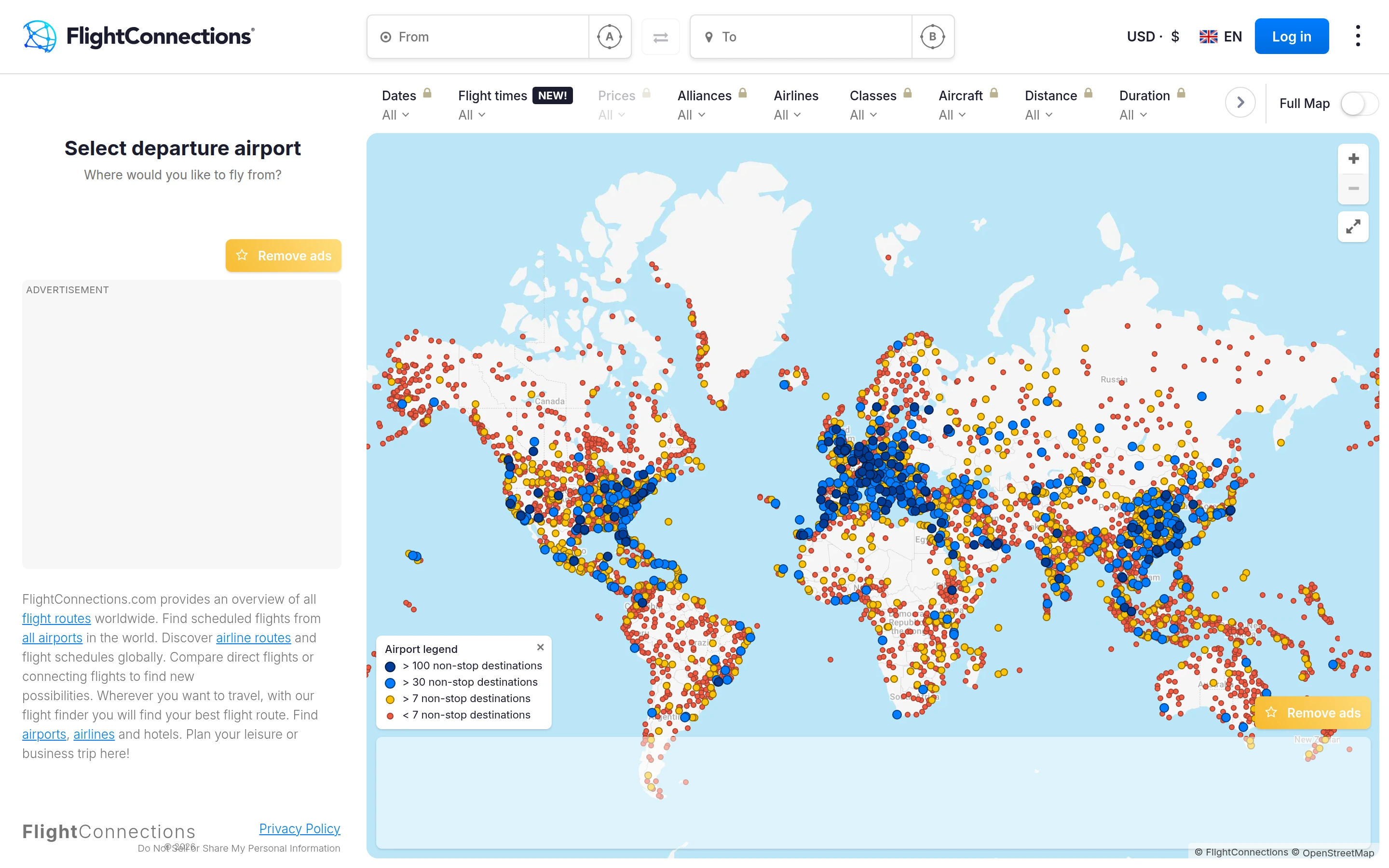
Viewport capture · opening screen Assembled in your browser. No API key or AI request needed. Changing the fields refreshes the preview.
FlightConnections — Route explorer
Maps & TravelSee it liveflightconnections.com
Departure and destination controls sit above a world map of airports, with route filters across the top.
Why this pattern works
Keep route criteria visible above the map and use marker encoding to expose network differences.
Design notes
- Surface
- FlightConnections — Route explorer
- Navigation
- A top filter row groups dates, airlines, classes, aircraft, and related options.
- Layout
- A narrow departure panel sits beside a large map with colored airport markers.
- Density
- Data-dense map with compact travel filters.
- Color
- Pale blue water, light land, and orange and blue markers.
- Type
- Small sans-serif labels keep tools and content visually separate.
- Pattern
- Keep route criteria visible above the map and use marker encoding to expose network differences.
- States
- This capture records the visible state only. Loading, error, and later workflow states were not verified.
- Don't
- Adapt the interface pattern with original content, branding, and data; do not infer behavior from a still image.
Make it your own
Turn this reference into a useful brief for your project. Copy it into the AI tool you already use.