← Back to library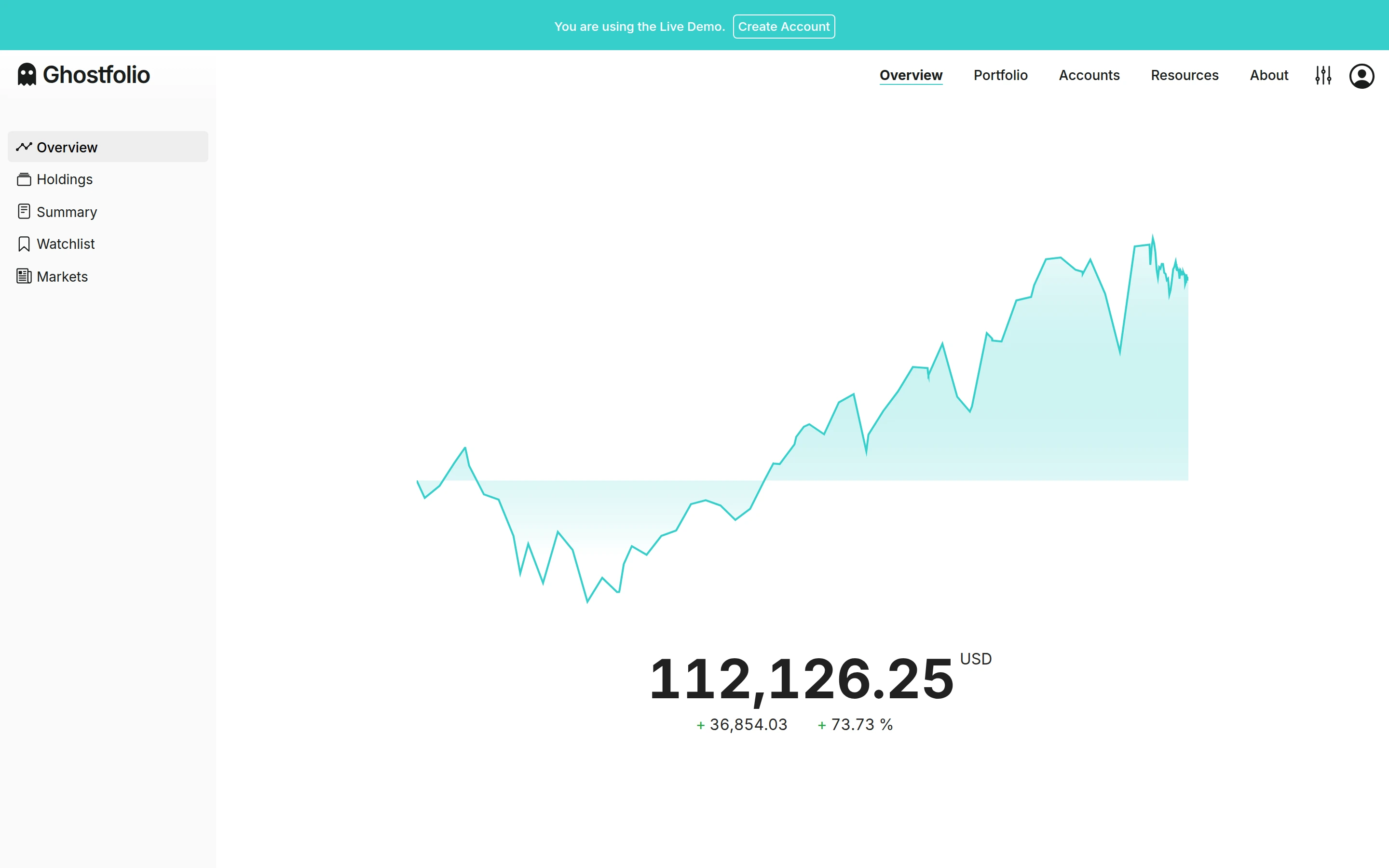
Viewport capture · opening screen Assembled in your browser. No API key or AI request needed. Changing the fields refreshes the preview.
Ghostfolio — Investment dashboard demo
Finance & BankingSee it liveghostfol.io
A large turquoise portfolio chart leads to a prominent account value, with secondary investment views in a quiet sidebar.
Why this pattern works
Make the portfolio trend and total the first read, with detailed holdings available through secondary navigation.
Design notes
- Surface
- Ghostfolio — Investment dashboard demo
- Navigation
- Primary sections run across the top; overview, holdings, and summary appear at left.
- Layout
- A spacious central performance chart sits above the portfolio value and change metrics.
- Density
- Low density gives the value and trend most of the attention.
- Color
- White canvas, teal line and area fill, dark numeric emphasis.
- Type
- Small sans-serif labels keep tools and content visually separate.
- Pattern
- Make the portfolio trend and total the first read, with detailed holdings available through secondary navigation.
- States
- This capture records the visible state only. Loading, error, and later workflow states were not verified.
- Don't
- Adapt the interface pattern with original content, branding, and data; do not infer behavior from a still image.
Make it your own
Turn this reference into a useful brief for your project. Copy it into the AI tool you already use.