← Back to library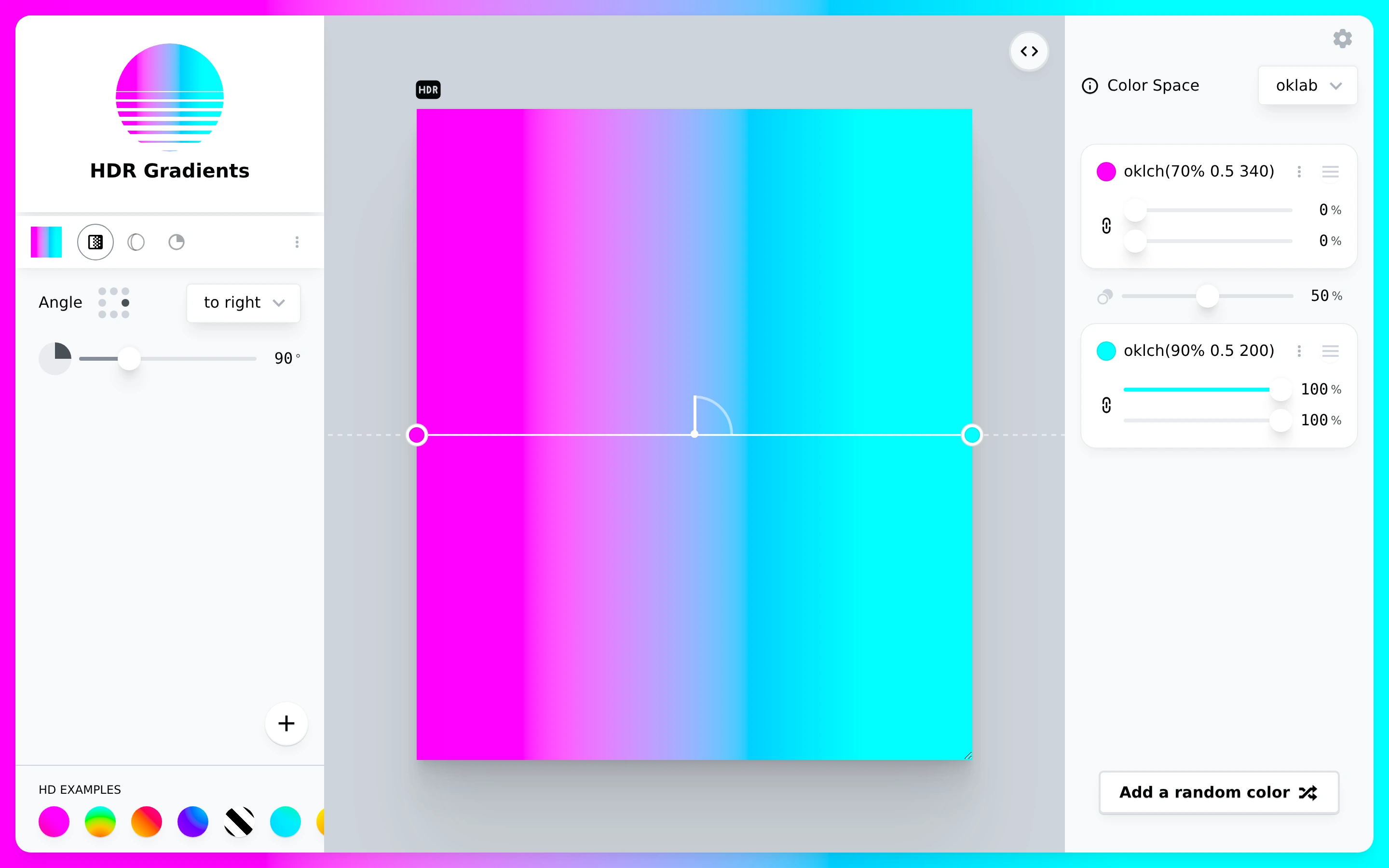
Viewport capture · opening screen Assembled in your browser. No API key or AI request needed. Changing the fields refreshes the preview.
Gradient.style — Gradient editor
Design ToolsSee it livegradient.style
A vivid gradient preview sits between direction controls and detailed color-stop settings.
Why this pattern works
Keep color stops, direction, and the preview visible together for precise gradient editing.
Design notes
- Surface
- Gradient.style — Gradient editor
- Navigation
- Compact example swatches and mode icons occupy a left-side panel.
- Layout
- The central gradient canvas is bounded by angle settings and a right color inspector.
- Density
- Compact numeric controls around a large color result.
- Color
- Neutral gray panels with magenta and cyan gradient colors.
- Type
- Small sans-serif labels keep tools and content visually separate.
- Pattern
- Keep color stops, direction, and the preview visible together for precise gradient editing.
- States
- This capture records the visible state only. Loading, error, and later workflow states were not verified.
- Don't
- Adapt the interface pattern with original content, branding, and data; do not infer behavior from a still image.
Make it your own
Turn this reference into a useful brief for your project. Copy it into the AI tool you already use.