← Back to library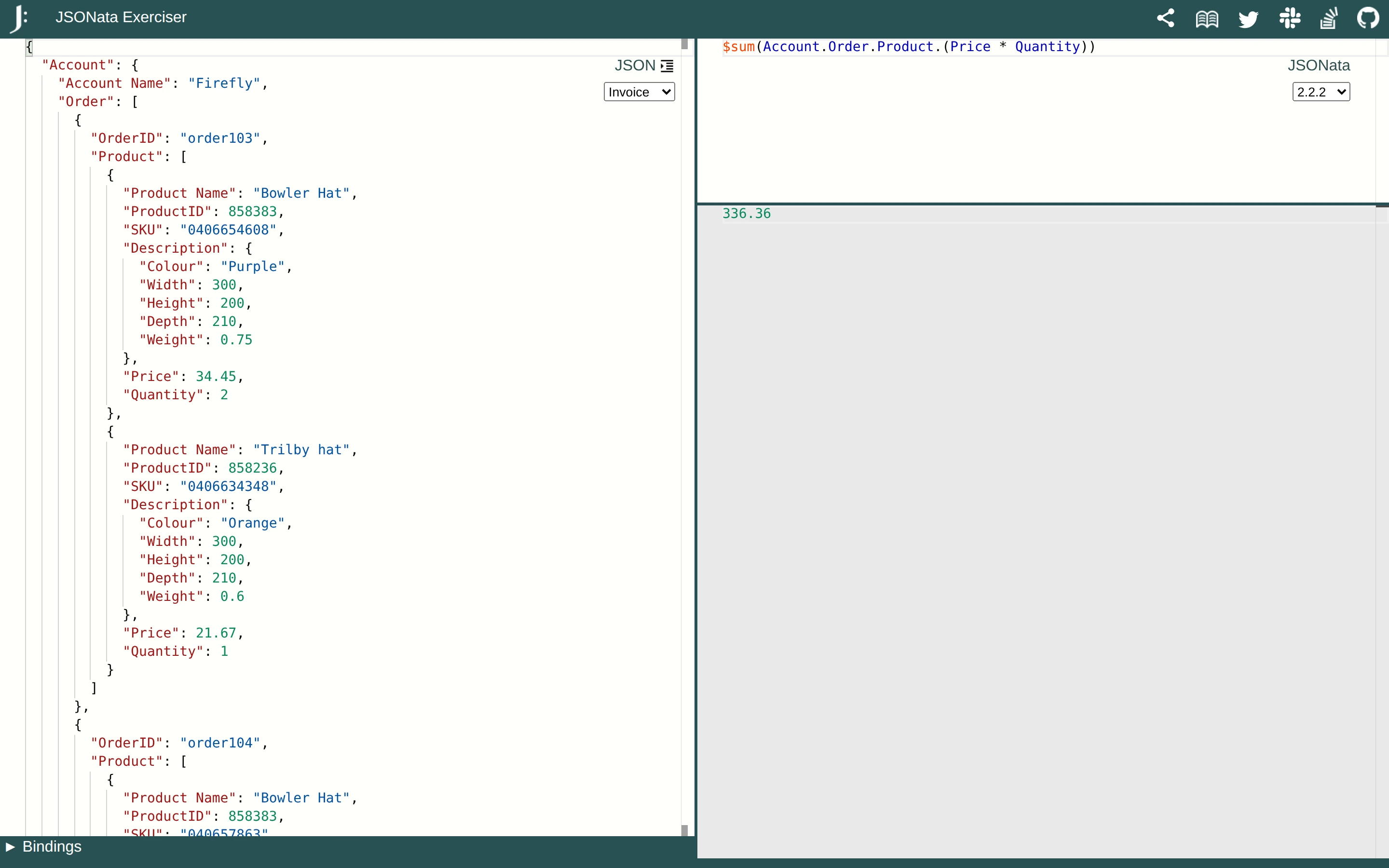
Viewport capture · opening screen Assembled in your browser. No API key or AI request needed. Changing the fields refreshes the preview.
JSONata — Transformation playground
Developer ToolsSee it livetry.jsonata.org
Structured input data fills the left pane while an expression and its evaluated result are stacked on the right.
Why this pattern works
Keep input, transformation, and output visible together when explaining a data operation.
Design notes
- Surface
- JSONata — Transformation playground
- Navigation
- A narrow top toolbar exposes sharing and help actions.
- Layout
- Three resizable work areas separate source JSON, transformation expression, and output.
- Density
- Dense data is balanced by short expression and result panels.
- Color
- White and gray panes with a dark teal toolbar and syntax colors.
- Type
- Small sans-serif labels keep tools and content visually separate.
- Pattern
- Keep input, transformation, and output visible together when explaining a data operation.
- States
- This capture records the visible state only. Loading, error, and later workflow states were not verified.
- Don't
- Adapt the interface pattern with original content, branding, and data; do not infer behavior from a still image.
Make it your own
Turn this reference into a useful brief for your project. Copy it into the AI tool you already use.