← Back to library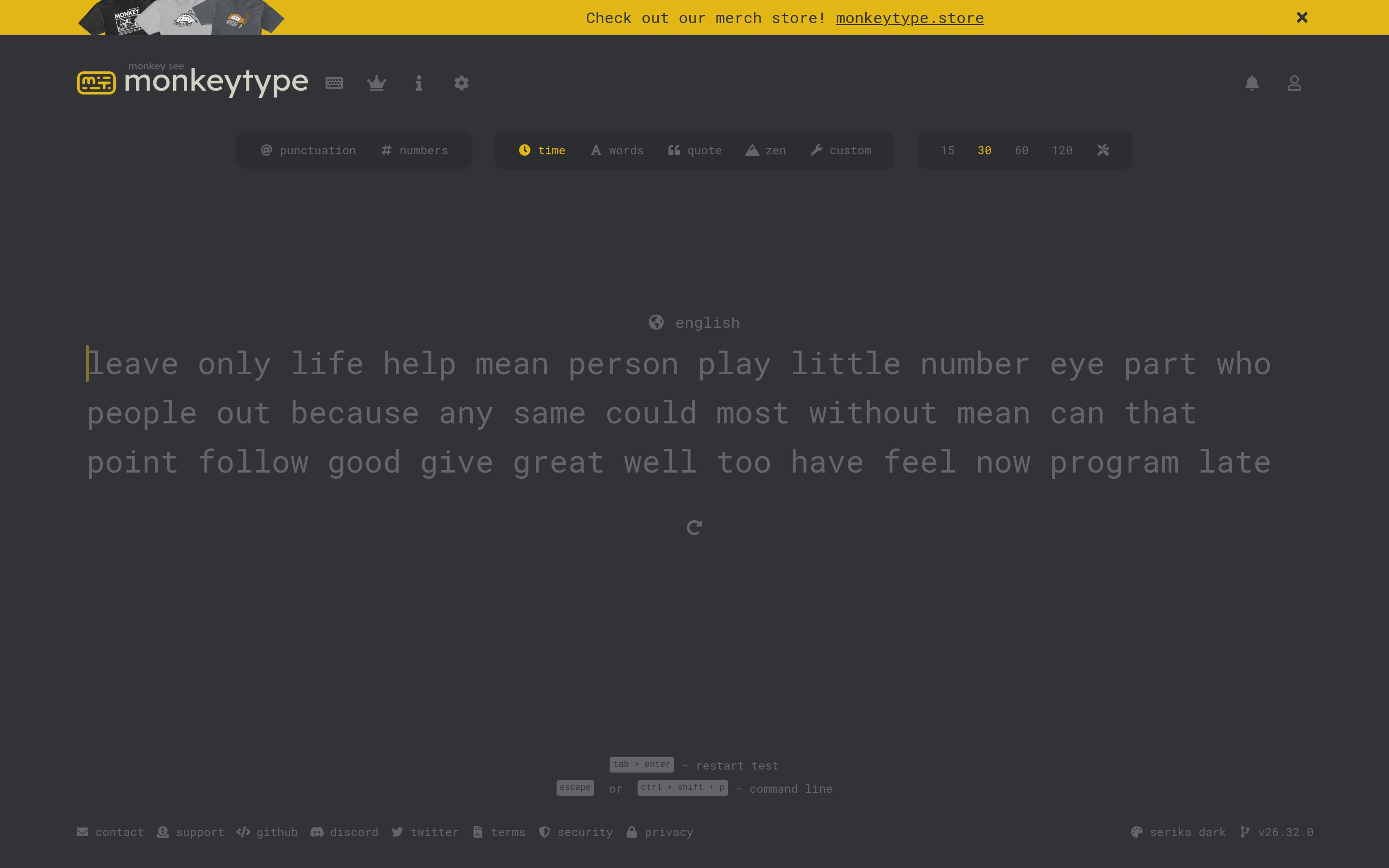
Viewport capture · opening screen Assembled in your browser. No API key or AI request needed. Changing the fields refreshes the preview.
Monkeytype — Typing practice
Education & LearningSee it livemonkeytype.com
A sparse dark typing screen puts a block of practice words beneath compact mode and duration controls.
Why this pattern works
Keep test configuration small and place the practice text at the visual center of the page.
Design notes
- Surface
- Monkeytype — Typing practice
- Navigation
- Small icons and a compact control strip sit near the wordmark.
- Layout
- Practice text occupies the middle of an otherwise open canvas.
- Density
- Low density keeps the typing target clear.
- Color
- Charcoal, muted gray text, and yellow accents.
- Type
- Small sans-serif labels keep tools and content visually separate.
- Pattern
- Keep test configuration small and place the practice text at the visual center of the page.
- States
- This capture records the visible state only. Loading, error, and later workflow states were not verified.
- Don't
- Adapt the interface pattern with original content, branding, and data; do not infer behavior from a still image.
Make it your own
Turn this reference into a useful brief for your project. Copy it into the AI tool you already use.