← Back to library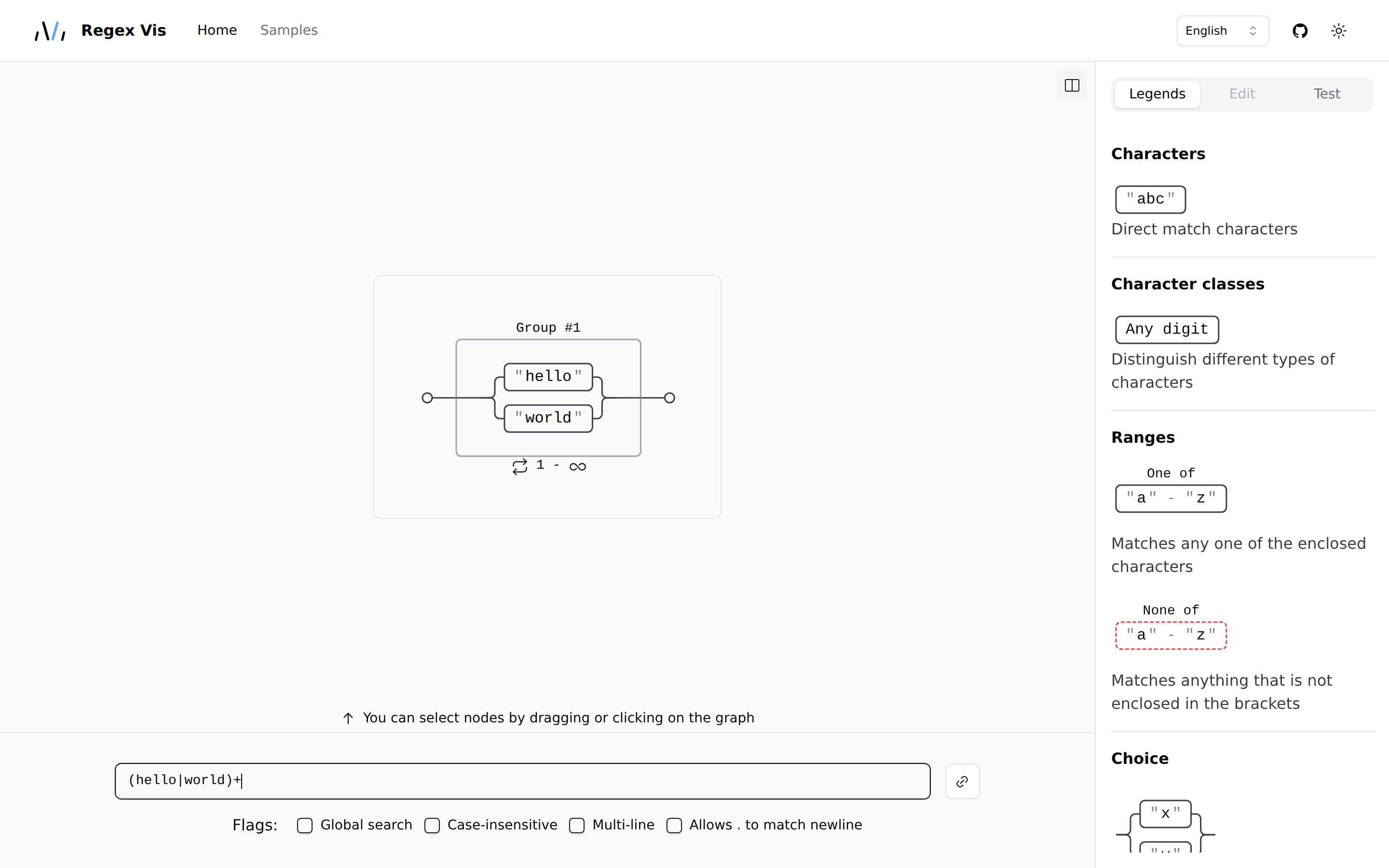
Viewport capture · opening screen Assembled in your browser. No API key or AI request needed. Changing the fields refreshes the preview.
Regex Vis — Expression visualizer
Developer ToolsSee it liveregex-vis.com
A small railroad diagram occupies a broad canvas, with a regex input below and a symbol legend at the right.
Why this pattern works
Place the editable expression beside an explanatory visual and a persistent syntax legend.
Design notes
- Surface
- Regex Vis — Expression visualizer
- Navigation
- A thin top navigation leads to examples, language settings, and display options.
- Layout
- The diagram, expression field, and legend occupy clearly separated regions.
- Density
- Low density in the graph balances compact syntax guidance.
- Color
- White, pale gray, black outlines, and subtle selection borders.
- Type
- Small sans-serif labels keep tools and content visually separate.
- Pattern
- Place the editable expression beside an explanatory visual and a persistent syntax legend.
- States
- This capture records the visible state only. Loading, error, and later workflow states were not verified.
- Don't
- Adapt the interface pattern with original content, branding, and data; do not infer behavior from a still image.
Make it your own
Turn this reference into a useful brief for your project. Copy it into the AI tool you already use.