← Back to library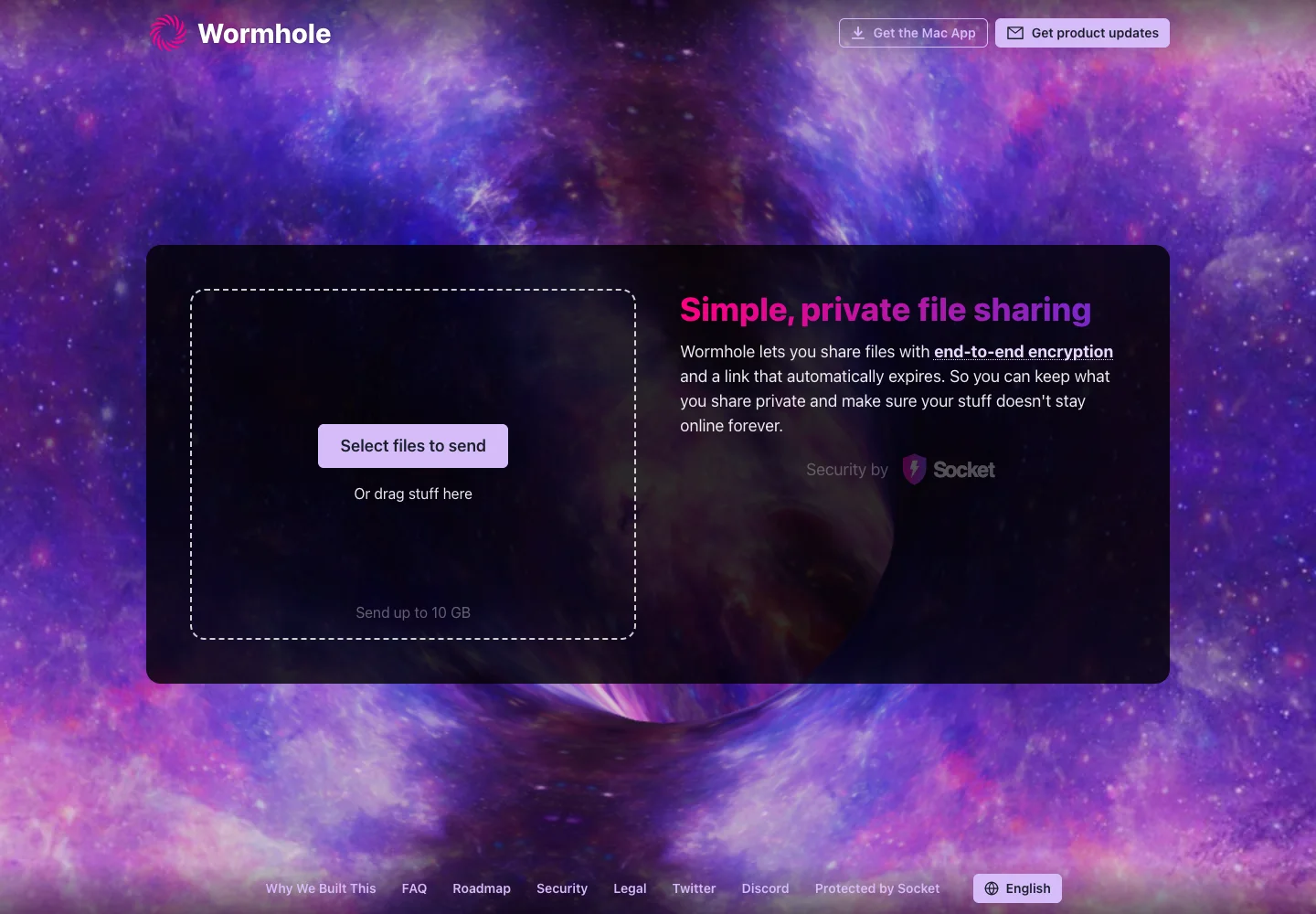
Page excerpt · scroll inside to explore Assembled in your browser. No API key or AI request needed. Changing the fields refreshes the preview.
Wormhole — Send files
Creative ToolsSee it livewormhole.app
A file-sharing tool uses a focused drop area and a simple transfer explanation.
Why this pattern works
Make the upload action and transfer expectations visible before selecting files.
Design notes
- Surface
- Send files
- Navigation
- Secondary product links sit above the main panel; supporting links sit below.
- Layout
- A drop zone and transfer explanation share one centered panel.
- Density
- A deliberately sparse first step gives the main action or result priority.
- Color
- Purple photographic background, dark translucent panel, and pale action button.
- Type
- Use a clear type hierarchy for the page title, primary content, and supporting labels.
- Pattern
- Make the upload action and transfer expectations visible before selecting files.
- States
- Initial file-sharing screen; no transfer has been created.
- Don't
- Do not copy brand assets or sample records. Preserve keyboard access and design empty, loading, and error states for the actual task.
Make it your own
Turn this reference into a useful brief for your project. Copy it into the AI tool you already use.