← Back to library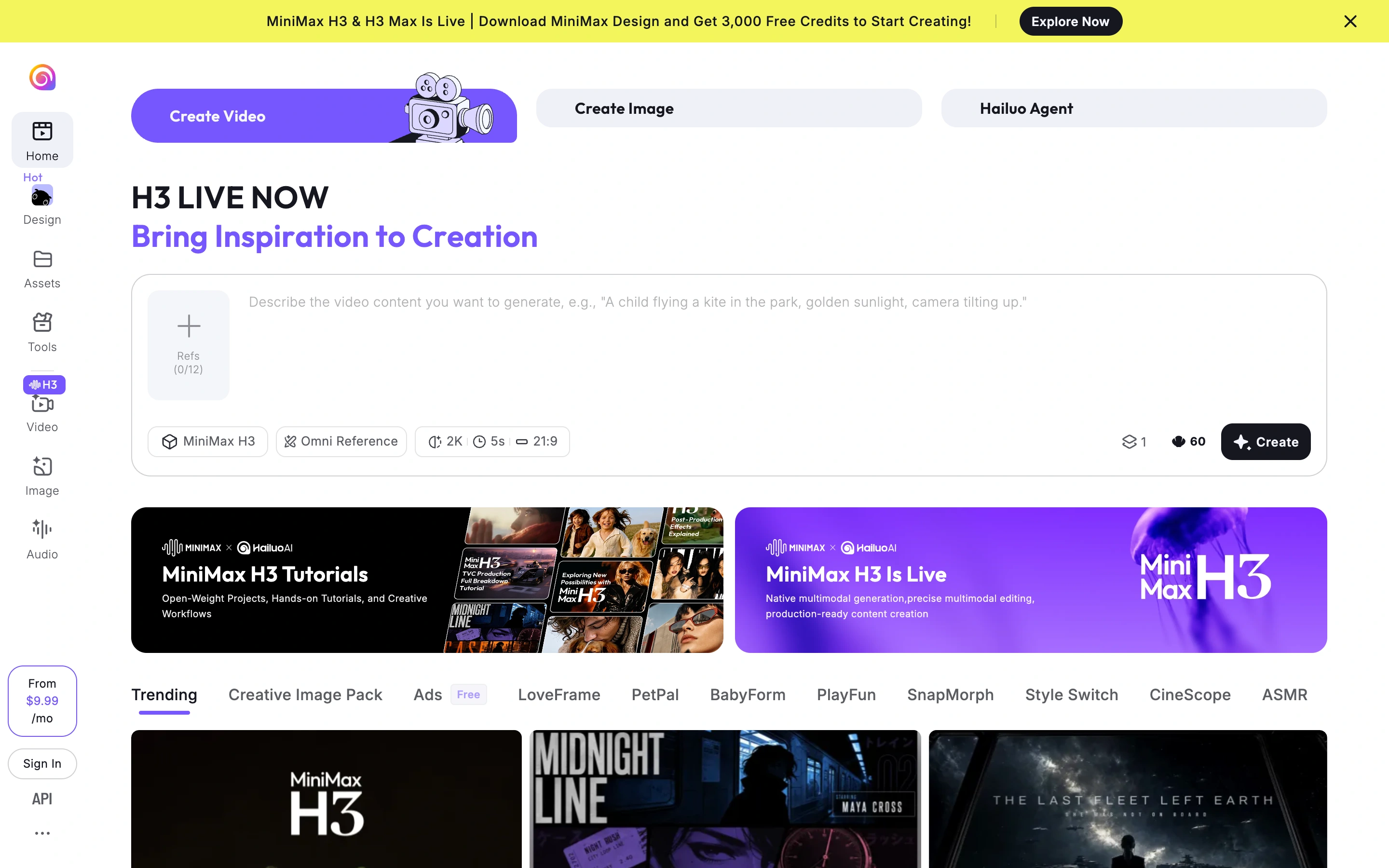
Viewport capture · opening screen Assembled in your browser. No API key or AI request needed. Changing the fields refreshes the preview.
Hailuo — Video creation workspace
Creative ToolsSee it livehailuoai.video
A large video composer exposes reference input, model, resolution and duration controls above tutorials and discovery cards.
Why this pattern works
Place generation settings in the composer rather than a separate settings page.
Design notes
- Surface
- A large video composer exposes reference input, model, resolution and duration controls above tutorials and discovery cards.
- Navigation
- Vertical tool rail plus media-mode tabs
- Layout
- Wide composer above tutorials and a visual feed
- Density
- Focused controls with comfortable spacing.
- Color
- White, violet, yellow and black
- Type
- Clear heading hierarchy and readable form labels.
- Pattern
- Place generation settings in the composer rather than a separate settings page.
- States
- Signed-out public composer; no prompt submitted or generation started.
- Don't
- Adapt the layout to your own product and supported capabilities; write your own examples and keep important actions clearly labeled.
Make it your own
Turn this reference into a useful brief for your project. Copy it into the AI tool you already use.