← Back to library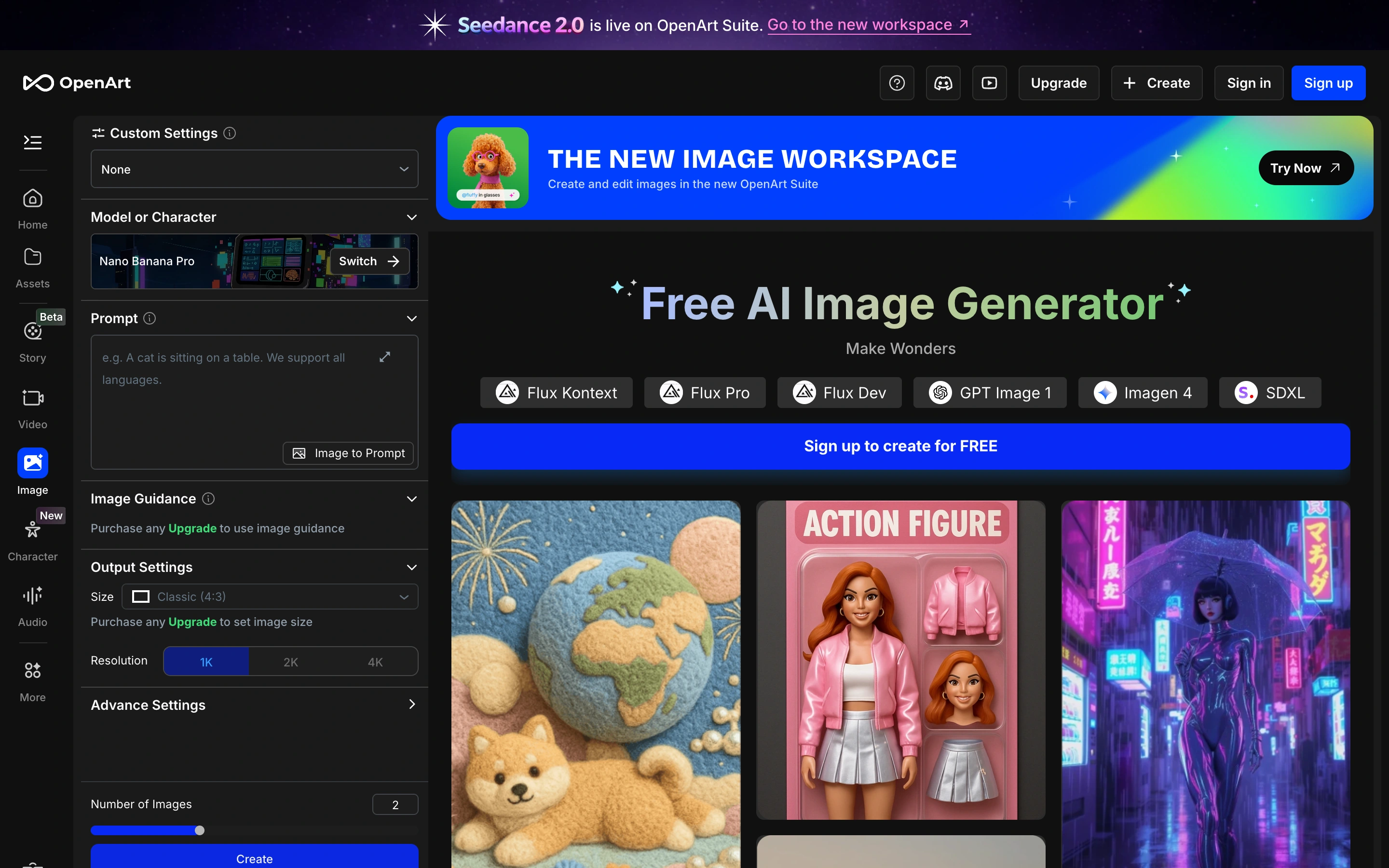
Viewport capture · opening screen Assembled in your browser. No API key or AI request needed. Changing the fields refreshes the preview.
OpenArt — Image workspace
Creative ToolsSee it liveopenart.ai
A dark image workspace combines a dense parameter sidebar with model tabs and example artwork.
Why this pattern works
Keep detailed model configuration accessible without hiding visual examples.
Design notes
- Surface
- A dark image workspace combines a dense parameter sidebar with model tabs and example artwork.
- Navigation
- Left tool rail and nested creation sidebar.
- Layout
- Narrow settings panel beside a wide examples and workspace area.
- Density
- High
- Color
- Charcoal, violet and multicolor artwork
- Type
- Small technical labels and a larger central title.
- Pattern
- Keep detailed model configuration accessible without hiding visual examples.
- States
- Signed-out image workspace with source-provided examples; no model run.
- Don't
- Adapt the layout to your own product and supported capabilities; write your own examples and keep important actions clearly labeled.
Make it your own
Turn this reference into a useful brief for your project. Copy it into the AI tool you already use.