← Back to library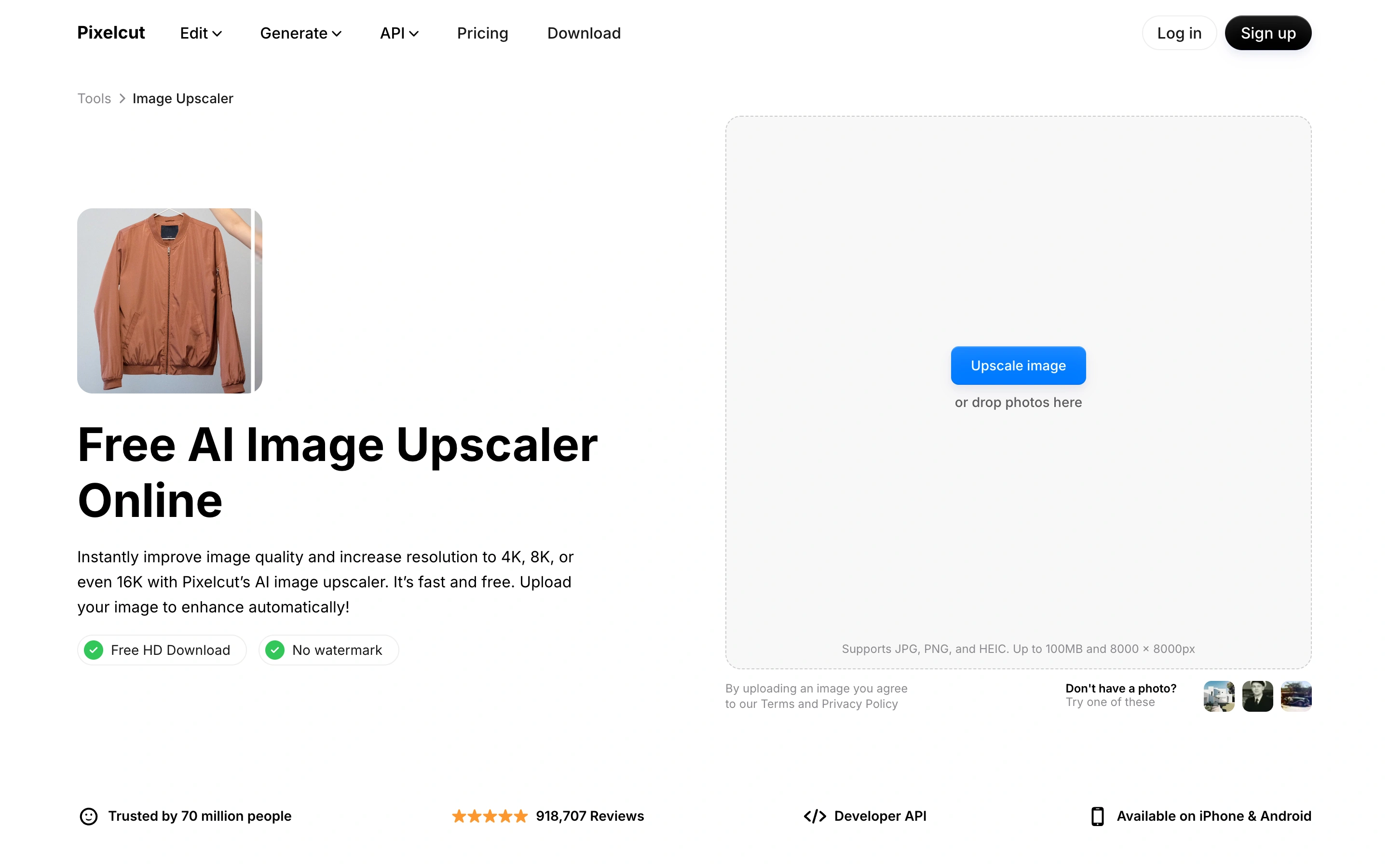
Viewport capture · opening screen Assembled in your browser. No API key or AI request needed. Changing the fields refreshes the preview.
Pixelcut — Upscaler
Creative ToolsSee it livepixelcut.ai
An upscaling utility pairs a short explanation with a large empty drop zone and sample thumbnails.
Why this pattern works
Give the upload area most of the working space and offer examples beneath it.
Design notes
- Surface
- An upscaling utility pairs a short explanation with a large empty drop zone and sample thumbnails.
- Navigation
- Compact website header and tool breadcrumb.
- Layout
- Two-column task explanation and upload panel.
- Density
- Low-medium
- Color
- White, gray and blue
- Type
- Bold task heading with compact helper copy.
- Pattern
- Give the upload area most of the working space and offer examples beneath it.
- States
- Public empty upload state; no files selected.
- Don't
- Adapt the layout to your own product and supported capabilities; write your own examples and keep important actions clearly labeled.
Make it your own
Turn this reference into a useful brief for your project. Copy it into the AI tool you already use.