← Back to library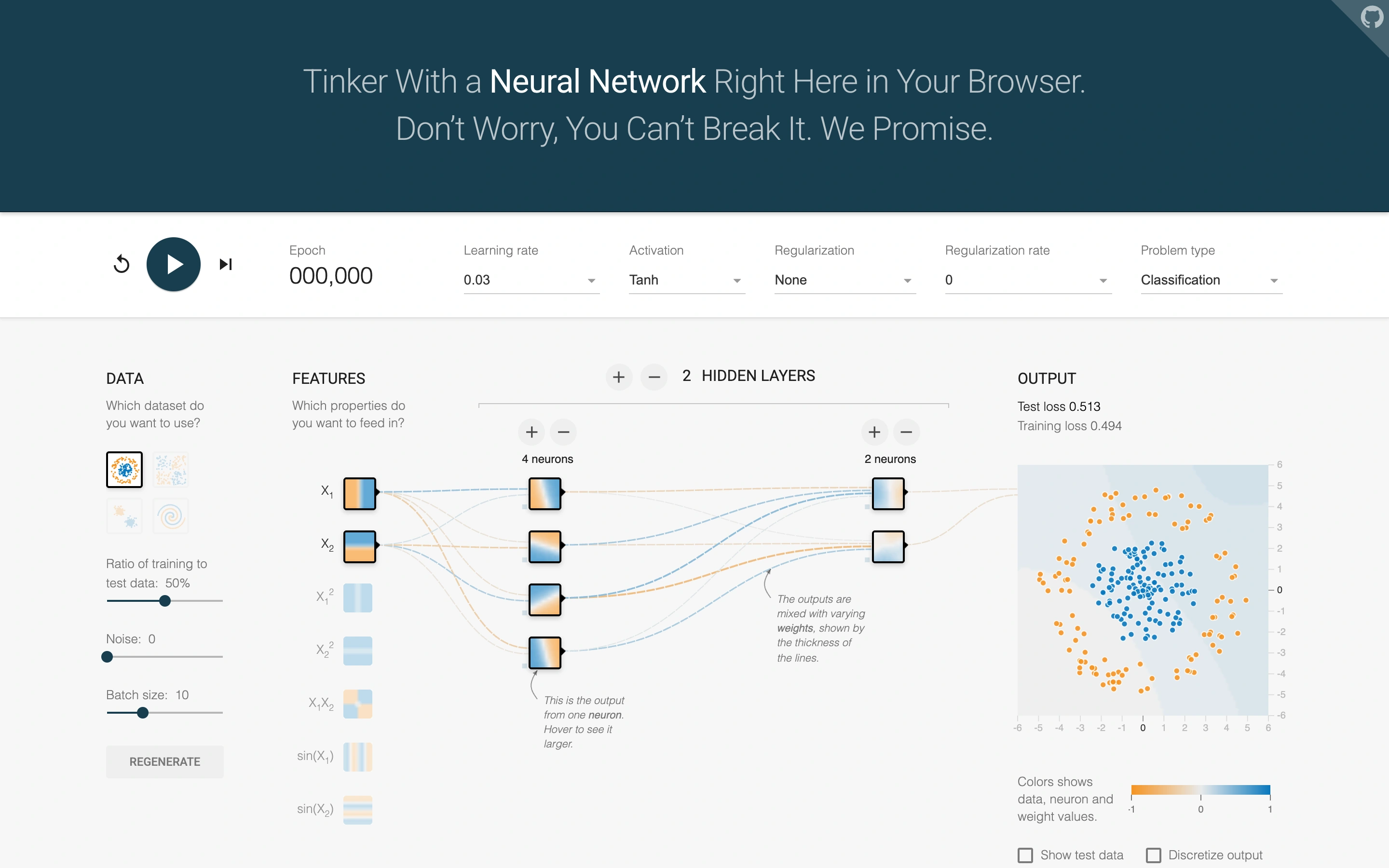
Viewport capture · opening screen Assembled in your browser. No API key or AI request needed. Changing the fields refreshes the preview.
TensorFlow Playground — Network controls
Dev ToolsSee it liveplayground.tensorflow.org
A neural-network playground exposes data, features, hidden layers and output in one view.
Why this pattern works
Make the relationship between input data, model structure and output visible on one canvas.
Design notes
- Surface
- A neural-network playground exposes data, features, hidden layers and output in one view.
- Navigation
- A top control strip holds playback and training parameters.
- Layout
- A left-to-right pipeline connects dataset controls, feature nodes, hidden layers and an output chart.
- Density
- High information density with aligned controls and a visual network.
- Color
- White, teal, blue and orange.
- Type
- Small labels and numerical controls, grouped under uppercase section headings.
- Pattern
- Make the relationship between input data, model structure and output visible on one canvas.
- States
- Built-in synthetic dataset before training, with the epoch counter at zero.
- Don't
- Adapt the layout to your own product and supported capabilities; write your own examples and keep important actions clearly labeled.
Make it your own
Turn this reference into a useful brief for your project. Copy it into the AI tool you already use.