← Back to library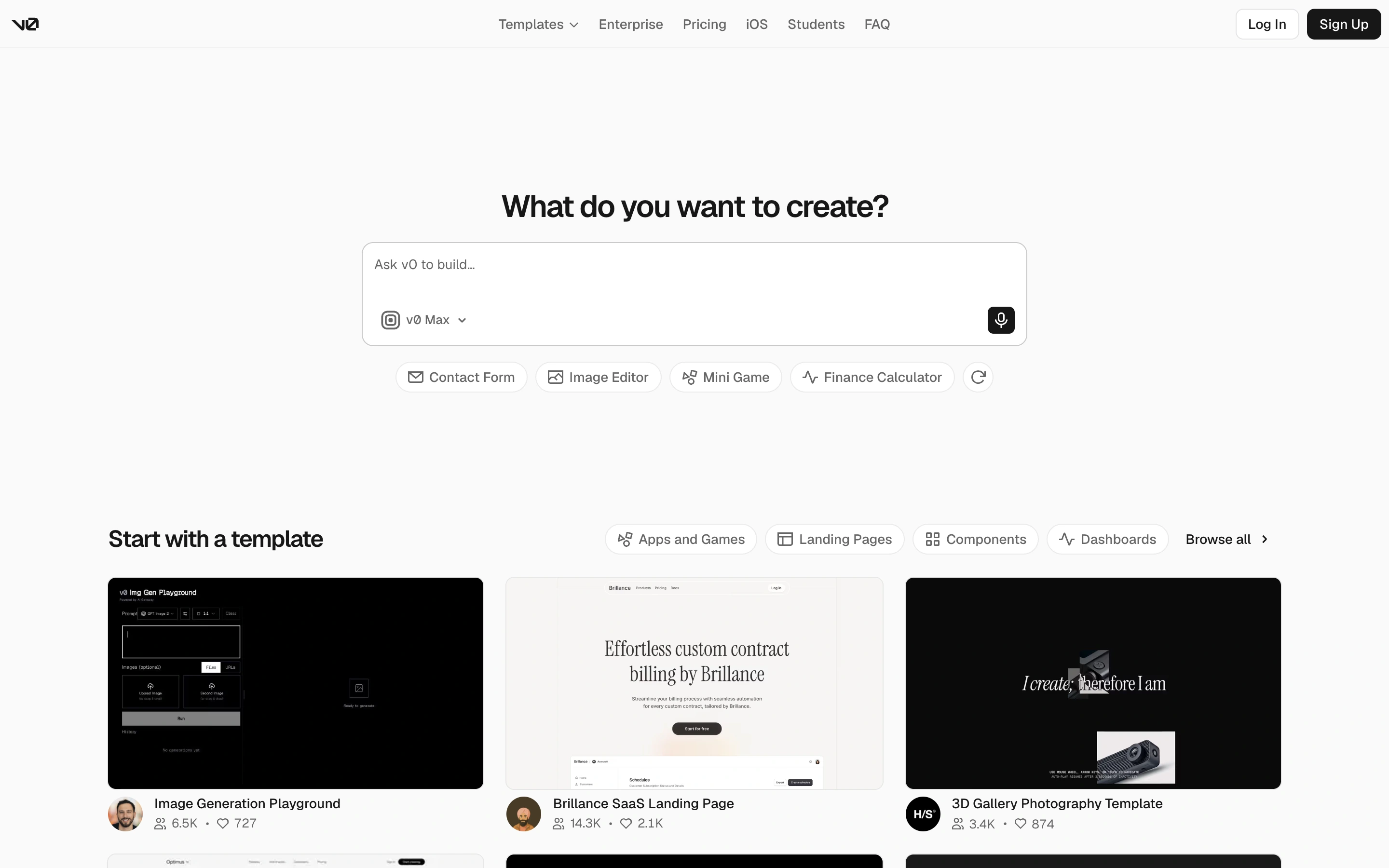
Viewport capture · opening screen Assembled in your browser. No API key or AI request needed. Changing the fields refreshes the preview.
v0 — Prompt entry and templates
Dev ToolsSee it livev0.app
An AI builder pairs an empty prompt composer with suggested tasks and a template gallery.
Why this pattern works
Offer both a freeform prompt and template-based starts on the same entry screen.
Design notes
- Surface
- An AI builder pairs an empty prompt composer with suggested tasks and a template gallery.
- Navigation
- Slim top navigation provides templates, enterprise and account entry.
- Layout
- Centered composer above a row of starter ideas, followed by a three-column template gallery.
- Density
- Sparse at the top, more visual and dense in the gallery.
- Color
- White and light grey with black controls and varied template imagery.
- Type
- Small sans-serif labels and a concise bold heading.
- Pattern
- Offer both a freeform prompt and template-based starts on the same entry screen.
- States
- Signed-out public entry; templates are visible, but no generation or deployment was initiated.
- Don't
- Adapt the layout to your own product and supported capabilities; write your own examples and keep important actions clearly labeled.
Make it your own
Turn this reference into a useful brief for your project. Copy it into the AI tool you already use.