Arrange fields in a clear reading sequence and keep longer explanations near the fields they support.
Design notes
Surface
Project form
Navigation
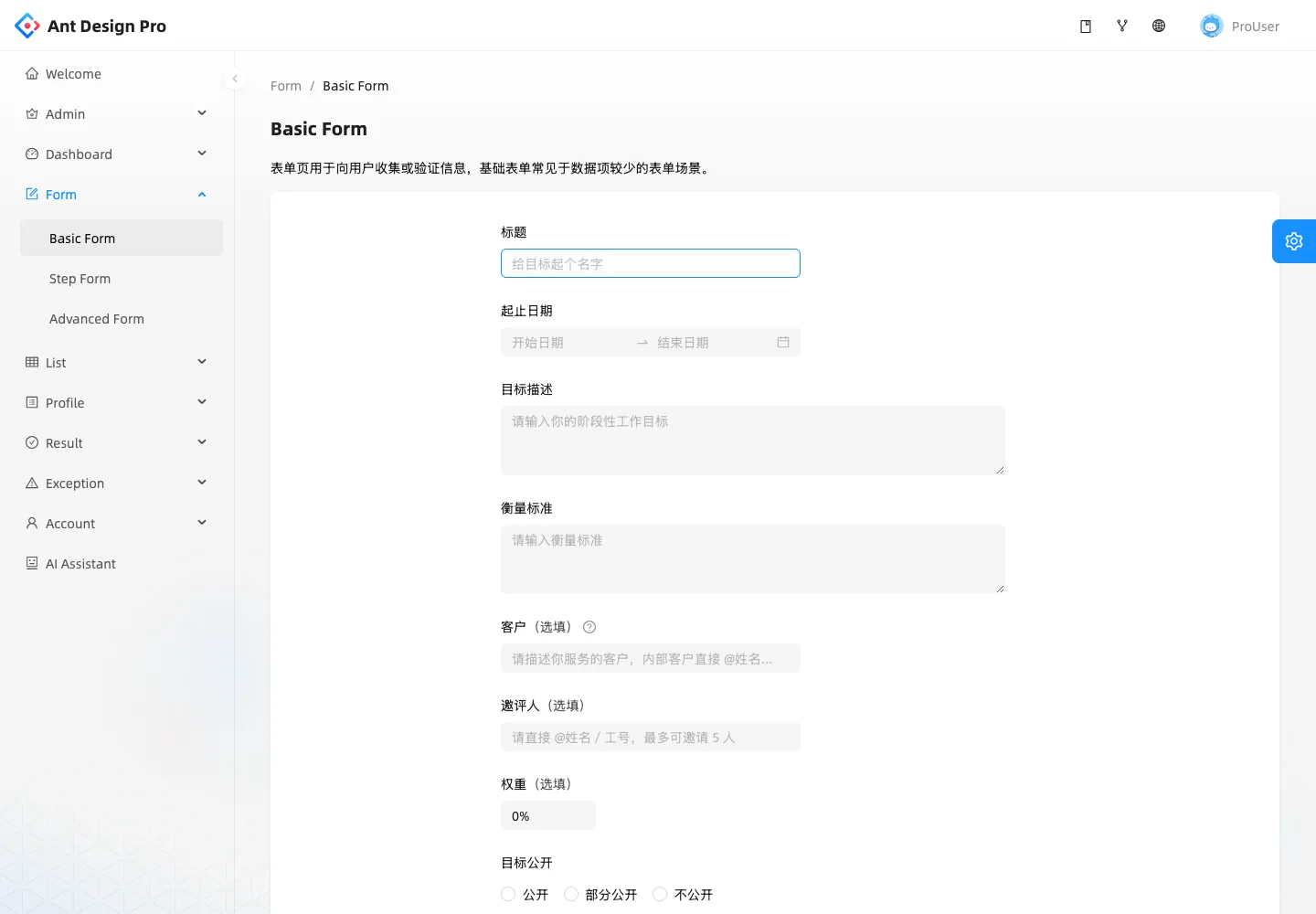
A sidebar marks the form section while breadcrumbs preserve page context.
Layout
A single form column groups title, dates, descriptions, participant fields, and visibility choices.
Density
A constrained form column leaves room between groups while keeping labels and controls together.
Color
White form surface, light gray field fills, and blue active controls.
Type
Field labels provide a repeated anchor above inputs and longer text areas.
Pattern
Arrange fields in a clear reading sequence and keep longer explanations near the fields they support.
States
Empty public form demo with mixed Chinese and English labels.
Don't
Adapt the interaction pattern to your own product. Do not copy brand assets, sample identities, proprietary text, or assume unseen states. Specify keyboard behavior, loading, empty, error, and narrow-screen layouts for your implementation.
Make it your own
Turn this reference into a useful brief for your project. Copy it into the AI tool you already use.
Add constraintsPreview & edit promptAssembled in your browser. No API key or AI request needed. Changing the fields refreshes the preview.