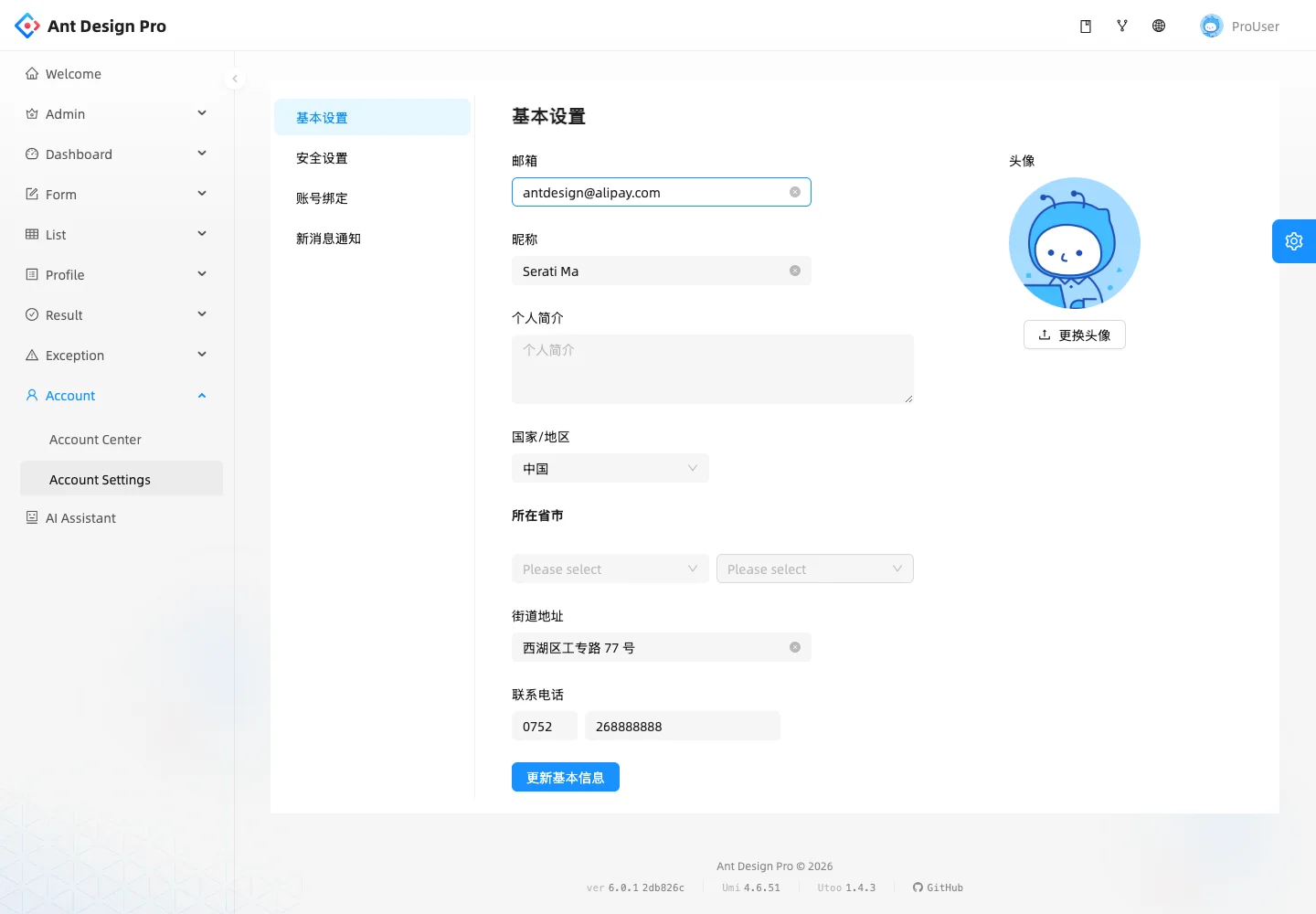
Use two navigation levels when account preferences need their own stable categories.
Design notes
Surface
Account settings
Navigation
The global sidebar and local category list distinguish product navigation from account preferences.
Layout
A local settings rail sits beside a profile form with an avatar area to its right.
Density
A constrained form column leaves room between groups while keeping labels and controls together.
Color
White surfaces, pale selected navigation, blue save action, and an illustrated demo avatar.
Type
Short category labels and consistent field labels balance the longer profile form.
Pattern
Use two navigation levels when account preferences need their own stable categories.
States
Public account settings demo containing fictional profile values and mixed Chinese and English labels.
Don't
Adapt the interaction pattern to your own product. Do not copy brand assets, sample identities, proprietary text, or assume unseen states. Specify keyboard behavior, loading, empty, error, and narrow-screen layouts for your implementation.
Make it your own
Turn this reference into a useful brief for your project. Copy it into the AI tool you already use.
Add constraintsPreview & edit promptAssembled in your browser. No API key or AI request needed. Changing the fields refreshes the preview.