← Back to library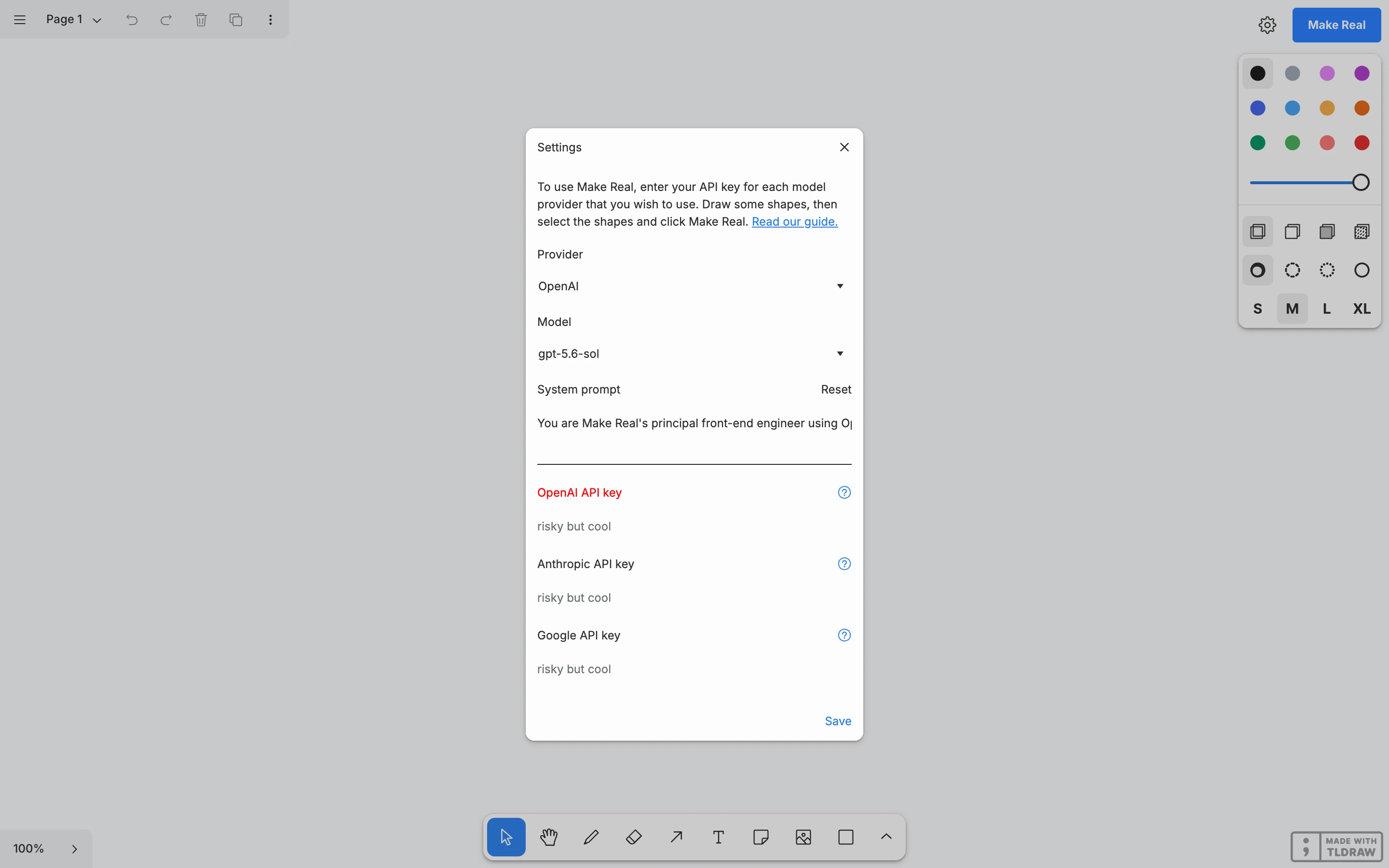
Viewport capture · opening screen Assembled in your browser. No API key or AI request needed. Changing the fields refreshes the preview.
tldraw Make Real — Model settings
Forms & OnboardingSee it livemakereal.tldraw.com
A compact settings dialog groups provider, model and API-key inputs above a drawing canvas, keeping setup separate from the main workspace.
Why this pattern works
A compact settings dialog groups provider, model and API-key inputs above a drawing canvas, keeping setup separate from the main workspace.
Design notes
- Surface
- tldraw Make Real — Model settings
- Navigation
- Canvas toolbar remains behind a focused settings dialog.
- Layout
- A narrow central dialog contains vertically stacked configuration fields.
- Density
- Moderate form density within a spacious canvas context.
- Color
- White dialog on a muted light-gray workspace.
- Type
- Compact labels and small supporting explanations.
- Pattern
- Group model-provider settings and credentials in a dedicated setup surface before the primary task.
- States
- Initial configuration dialog with empty credential inputs. No API key was entered and no generation was requested.
- Don't
- Adapt the interaction structure to your users. A screenshot does not establish keyboard behavior, loading states or the success of subsequent actions.
Make it your own
Turn this reference into a useful brief for your project. Copy it into the AI tool you already use.