← Back to library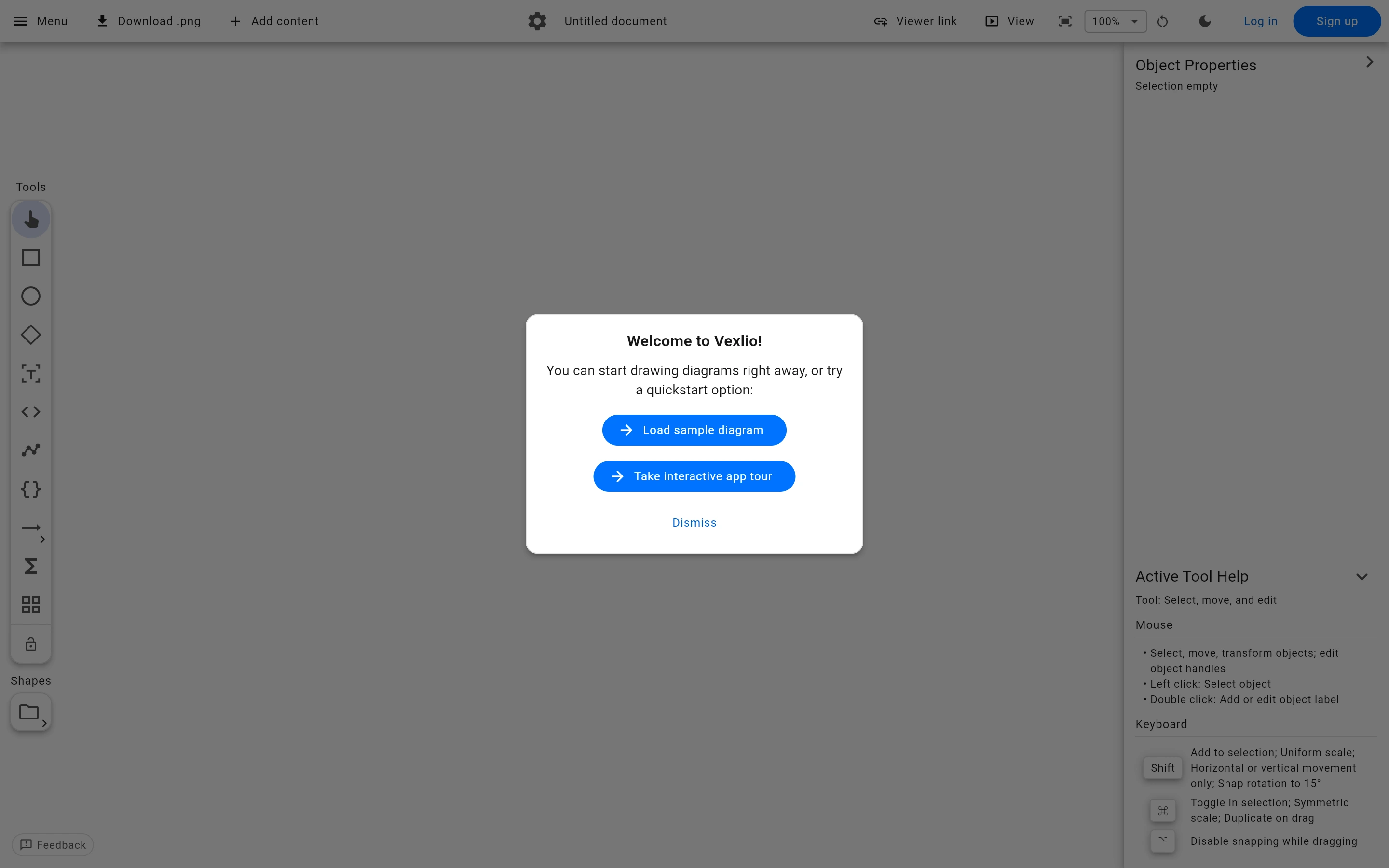
Viewport capture · opening screen Assembled in your browser. No API key or AI request needed. Changing the fields refreshes the preview.
Vexlio — Welcome dialog
Forms & OnboardingSee it liveapp.vexlio.com
The first-use dialog offers an example diagram or an interactive tour, giving a blank diagramming workspace two concrete starting points.
Why this pattern works
The first-use dialog offers an example diagram or an interactive tour, giving a blank diagramming workspace two concrete starting points.
Design notes
- Surface
- Vexlio — Welcome dialog
- Navigation
- Canvas tools and property panels remain visible behind the first-use dialog.
- Layout
- Small centered welcome dialog over a multi-panel editor.
- Density
- Low density in the dialog, with denser controls in the workspace behind it.
- Color
- Light workspace with blue primary onboarding choices.
- Type
- Plain compact labels and a clear welcome heading.
- Pattern
- Offer a sample and a tour as distinct first-use paths so new users do not have to start from an empty canvas.
- States
- Welcome dialog before selecting a starting path.
- Don't
- Adapt the interaction structure to your users. A screenshot does not establish keyboard behavior, loading states or the success of subsequent actions.
Make it your own
Turn this reference into a useful brief for your project. Copy it into the AI tool you already use.