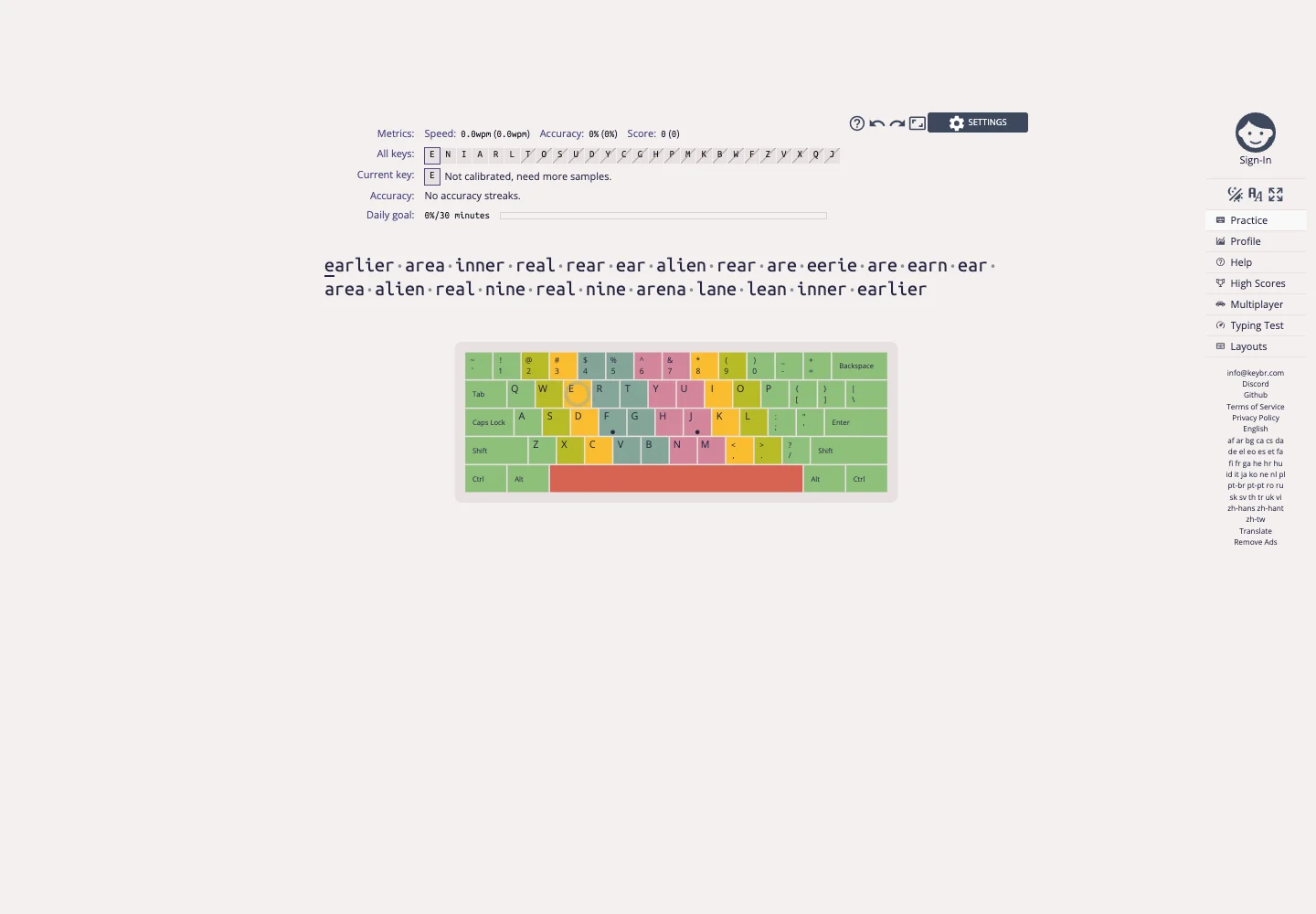
Show progress in the context of the exercise while keeping the exercise itself central.
Design notes
Surface
Typing practice
Navigation
Practice, profile, settings, and learning destinations form a compact vertical menu.
Layout
Practice text sits below small performance and key-progress indicators, with destinations on the side.
Density
Primary content has the most space; repeated rows and secondary navigation use a compact, consistent rhythm.
Color
A warm pale workspace with dark typing text and restrained progress accents.
Type
Use spacious practice text and smaller progress labels that do not compete with it.
Pattern
Show progress in the context of the exercise while keeping the exercise itself central.
States
Initial public practice screen after dismissing the welcome tour; no account was used.
Don't
Adapt the interaction pattern to your own product. Do not copy brand assets, sample identities, proprietary text, or assume unseen states. Specify keyboard behavior, loading, empty, error, and narrow-screen layouts for your implementation.
Make it your own
Turn this reference into a useful brief for your project. Copy it into the AI tool you already use.
Add constraintsPreview & edit promptAssembled in your browser. No API key or AI request needed. Changing the fields refreshes the preview.