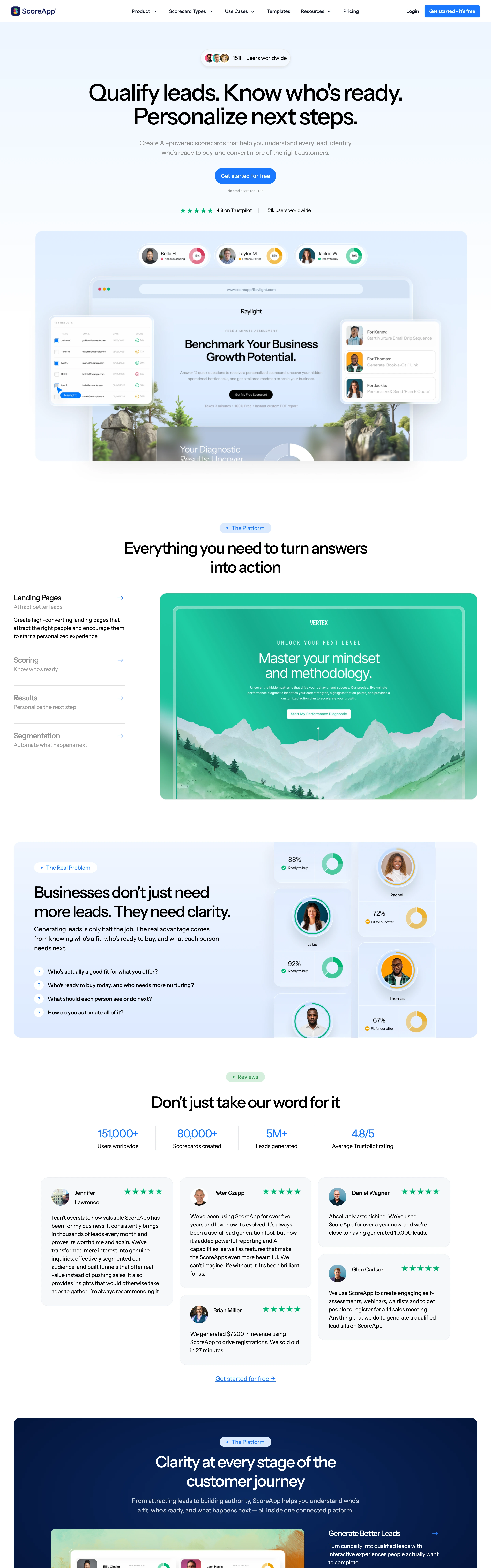
Credible, B2B-leaning, results-driven. A quiz that scores and qualifies the lead — diagnostic authority rather than playful personality.
Colors
White base, dark near-black headline type, a bright confident blue for CTAs and the score UI, gray body. Clean and trustworthy.
Type
Big bold black sans headline, readable gray subhead promising the payoff ('reveal who's ready to buy'), sans throughout, large tabular numerals for scores.
Score gauge animates to its value, category bars fill, smooth question transitions, progress bar, subtle CTA hover.
Texture
Bright, clean, lightly shadowed cards; the score gauge and bars are the visual centerpiece; airy spacing.
Imagery
Generate: a scorecard result mockup (a score gauge/percentage ring, category bars, personalized recommendations), a social-proof avatar pill ('151k+ users'), and clean assessment question cards with sliders/scales. Tool: build the gauge + bars in code; GPT-Image for the result-report mockup; Pexels/Flux for the small avatar faces.
Don't
No dark theme, no playful cartoon tone, no clutter, no more than one accent. Don't hide the score behind vague fluff — the diagnostic payoff must feel concrete.
Make it your own
Turn this reference into a useful brief for your project. Copy it into the AI tool you already use.
Add constraintsPreview & edit promptAssembled in your browser. No API key or AI request needed. Changing the fields refreshes the preview.