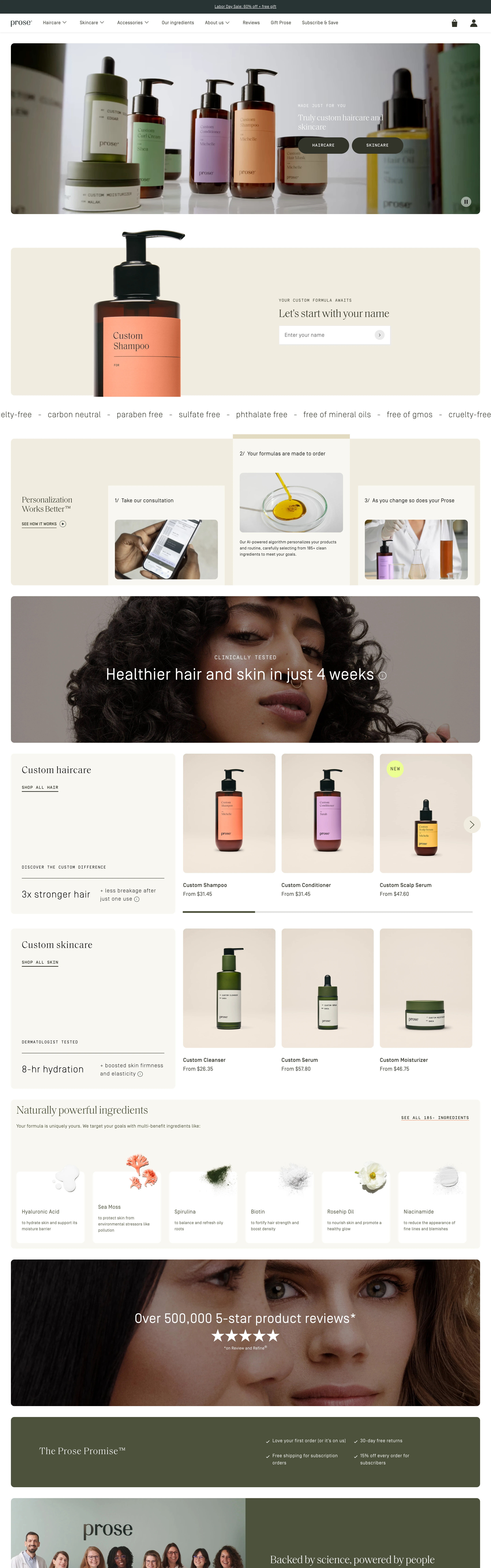
DTC personalization quiz for custom haircare: editorial serif, muted beach-luxe photography, and an email-gate promo popup ('unlock your offer') fronting a long consultation quiz.
Elevated, editorial, personal. Premium custom beauty — a long 'consultation' quiz that feels like an expert tailoring a formula just for you, wrapped in soft luxe photography.
Colors
Warm off-white / sand base, muted earthy neutrals, near-black type and buttons, a highlighter-yellow marker on key promo phrases, soft photographic color. Understated and premium.
Type
Refined serif headlines (editorial, fashion-adjacent), clean sans for form fields, quiz options, and buttons. A highlighter marker underlines urgency phrases.
Layout
FLOW-FIRST DTC quiz: email-gate promo popup on entry (offer + email field + unlock) → long consultation quiz (one question per screen: hair type, scalp, texture, goals, lifestyle — photographic/illustrated option cards, progress bar) → 'building your formula' interstitial → personalized product result + price + add-to-cart. Homepage behind the popup: editorial full-bleed photographic hero with quiet category CTAs.
Motion
Popup fade-in on load, gentle question transitions, progress bar, an ingredient/formula reveal on the result, soft hover on option cards.
Generate: editorial DTC beauty photography (product bottles on sand/marble, soft natural light), a promo email-capture popup ('60% off + free gift', highlighted 'LIMITED TIME ONLY' marker, email field, dark unlock button), and quiz consultation steps (hair type, scalp, goals — illustrated/photographic option cards). Tool: Pexels + kie-ai Flux for the beauty photography; build popup + quiz steps in code; nanobanana for any spot illustration.
Don't
No loud discount-store styling, no neon, no cramped multi-field forms, no cheap stock. Keep it editorial and premium even while running an aggressive promo.
Make it your own
Turn this reference into a useful brief for your project. Copy it into the AI tool you already use.
Add constraintsPreview & edit promptAssembled in your browser. No API key or AI request needed. Changing the fields refreshes the preview.