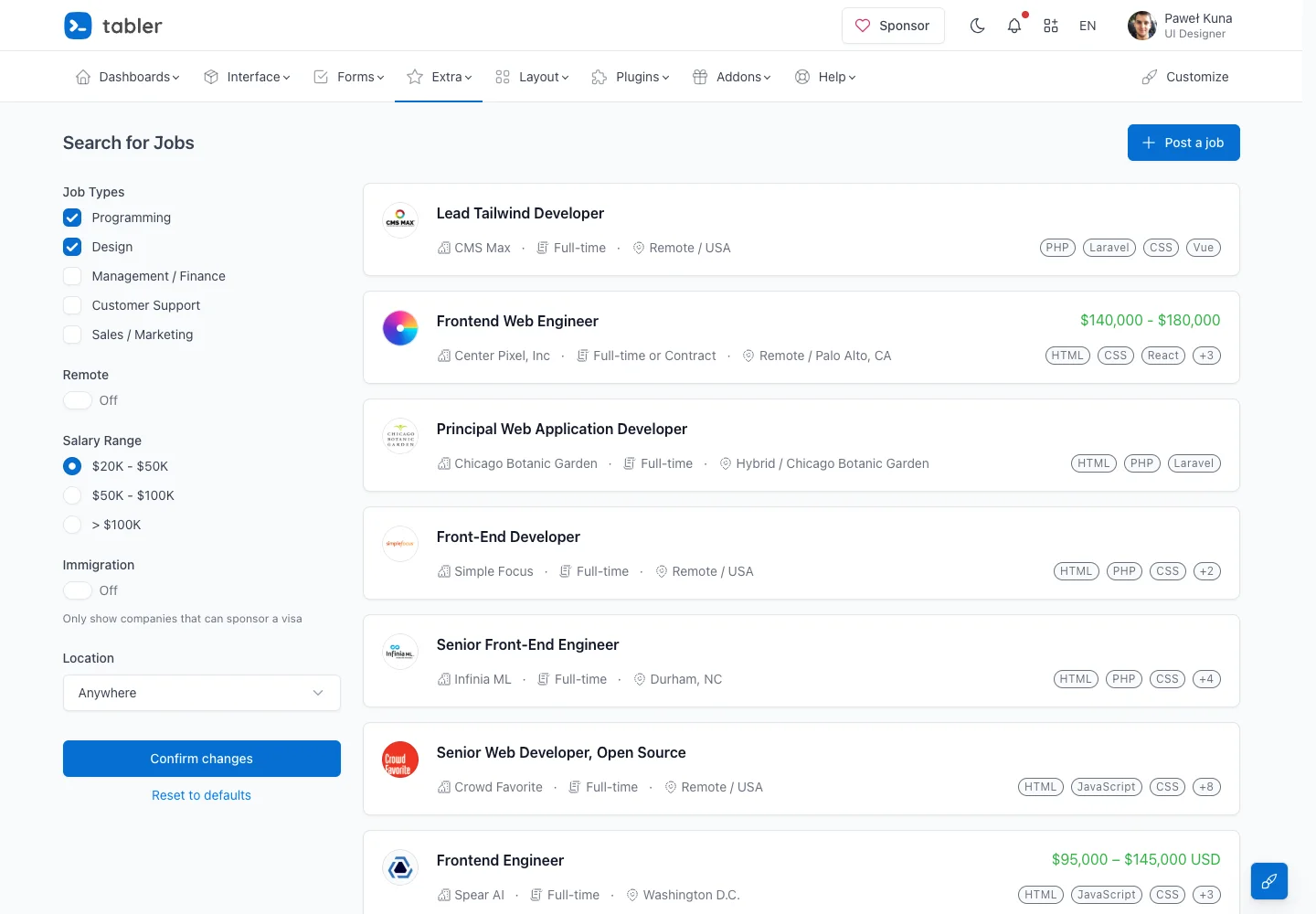
Help users compare opportunities without opening every result by surfacing the same key metadata in each row.
Design notes
Surface
Job listings
Navigation
Search context and the posting action sit above the results; filters have an explicit confirmation action.
Layout
A narrow facet column sits next to a wide results list with company identity, role metadata, skill tags, and salary information.
Density
Primary content has the most space; repeated rows and secondary navigation use a compact, consistent rhythm.
Color
White rows, blue controls, gray metadata, and green salary highlights.
Type
Role names lead each row while company and employment details remain smaller.
Pattern
Help users compare opportunities without opening every result by surfacing the same key metadata in each row.
States
Demo job results with job-type, remote, pay-range, and location filters.
Don't
Adapt the interaction pattern to your own product. Do not copy brand assets, sample identities, proprietary text, or assume unseen states. Specify keyboard behavior, loading, empty, error, and narrow-screen layouts for your implementation.
Make it your own
Turn this reference into a useful brief for your project. Copy it into the AI tool you already use.
Add constraintsPreview & edit promptAssembled in your browser. No API key or AI request needed. Changing the fields refreshes the preview.