← Back to library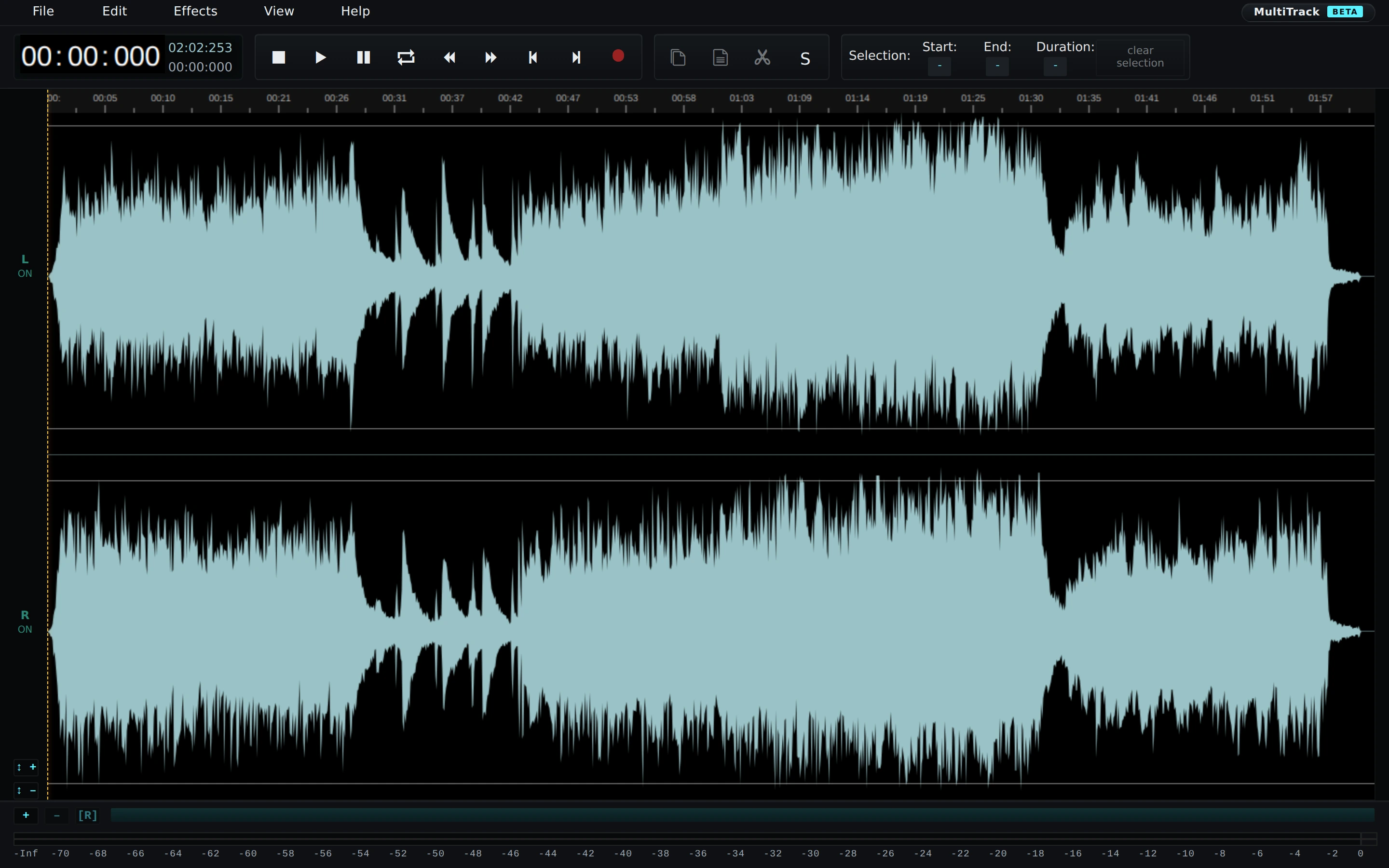
Viewport capture · opening screen Assembled in your browser. No API key or AI request needed. Changing the fields refreshes the preview.
AudioMass — Waveform editor
Audio & VideoSee it liveaudiomass.co
A loaded stereo sample fills a dark waveform editor beneath compact transport and selection controls.
Why this pattern works
Make the waveform the dominant surface while keeping transport and selection timing immediately above it.
Design notes
- Surface
- AudioMass — Waveform editor
- Navigation
- File, edit, effects, view, and help menus sit above the playback toolbar.
- Layout
- Two waveform channels share a wide timeline while selection measures remain above.
- Density
- Dense playback controls leave almost the entire workspace to the waveform.
- Color
- Black, dark gray, and pale cyan waveforms.
- Type
- Small sans-serif labels keep tools and content visually separate.
- Pattern
- Make the waveform the dominant surface while keeping transport and selection timing immediately above it.
- States
- This capture records the visible state only. Loading, error, and later workflow states were not verified.
- Don't
- Adapt the interface pattern with original content, branding, and data; do not infer behavior from a still image.
Make it your own
Turn this reference into a useful brief for your project. Copy it into the AI tool you already use.