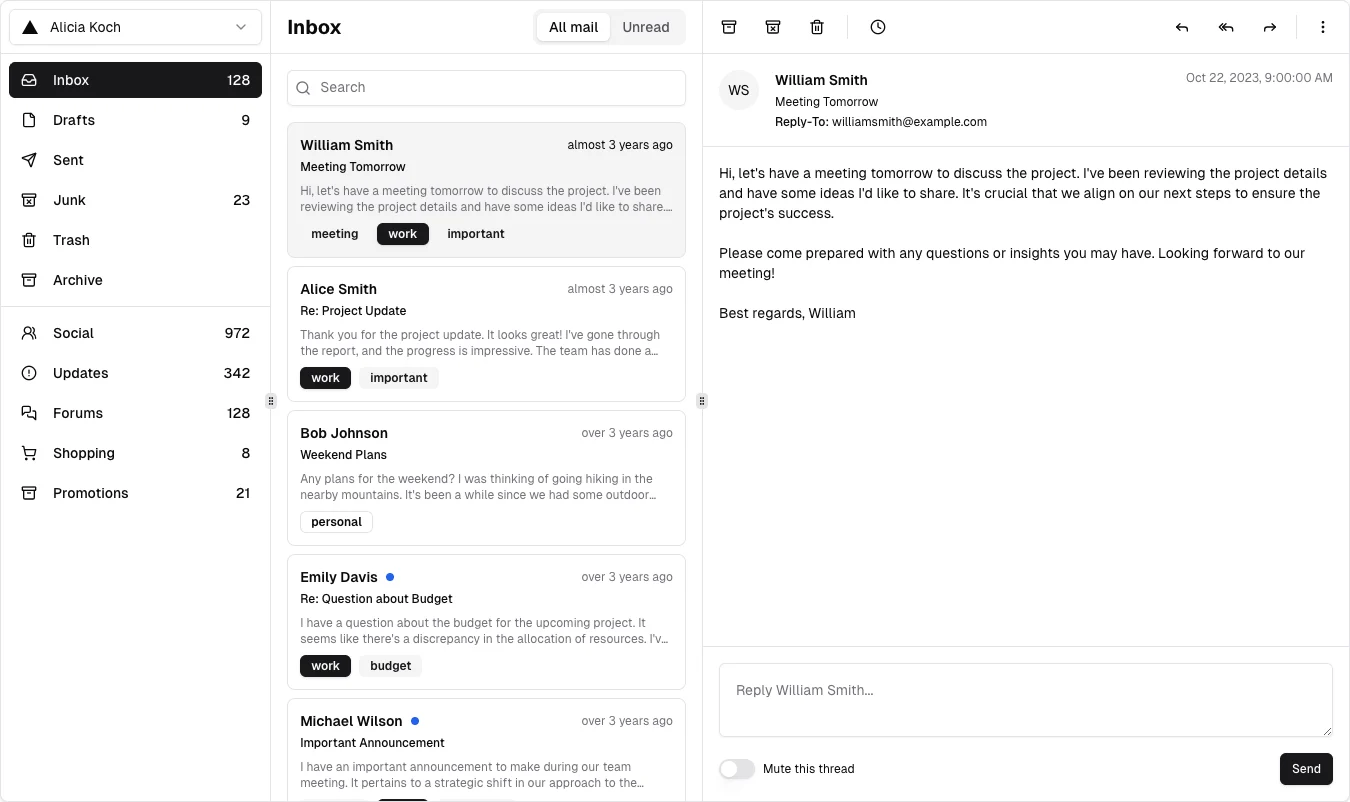
Keep list context visible while reading and replying to one item.
Design notes
Surface
Mail workspace
Navigation
Mailbox folders carry counts; thread actions sit above the reading pane.
Layout
A narrow folder rail leads into a searchable message list and a wider reading pane with a reply area.
Density
Primary content has the most space; repeated rows and secondary navigation use a compact, consistent rhythm.
Color
White panes, fine gray dividers, and a pale selected message.
Type
Use compact message previews with clear sender, subject, time, and selected state.
Pattern
Keep list context visible while reading and replying to one item.
States
Public v3 demo with fictional messages and a selected conversation; no email was sent.
Don't
Adapt the interaction pattern to your own product. Do not copy brand assets, sample identities, proprietary text, or assume unseen states. Specify keyboard behavior, loading, empty, error, and narrow-screen layouts for your implementation.
Make it your own
Turn this reference into a useful brief for your project. Copy it into the AI tool you already use.
Add constraintsPreview & edit promptAssembled in your browser. No API key or AI request needed. Changing the fields refreshes the preview.