← Back to library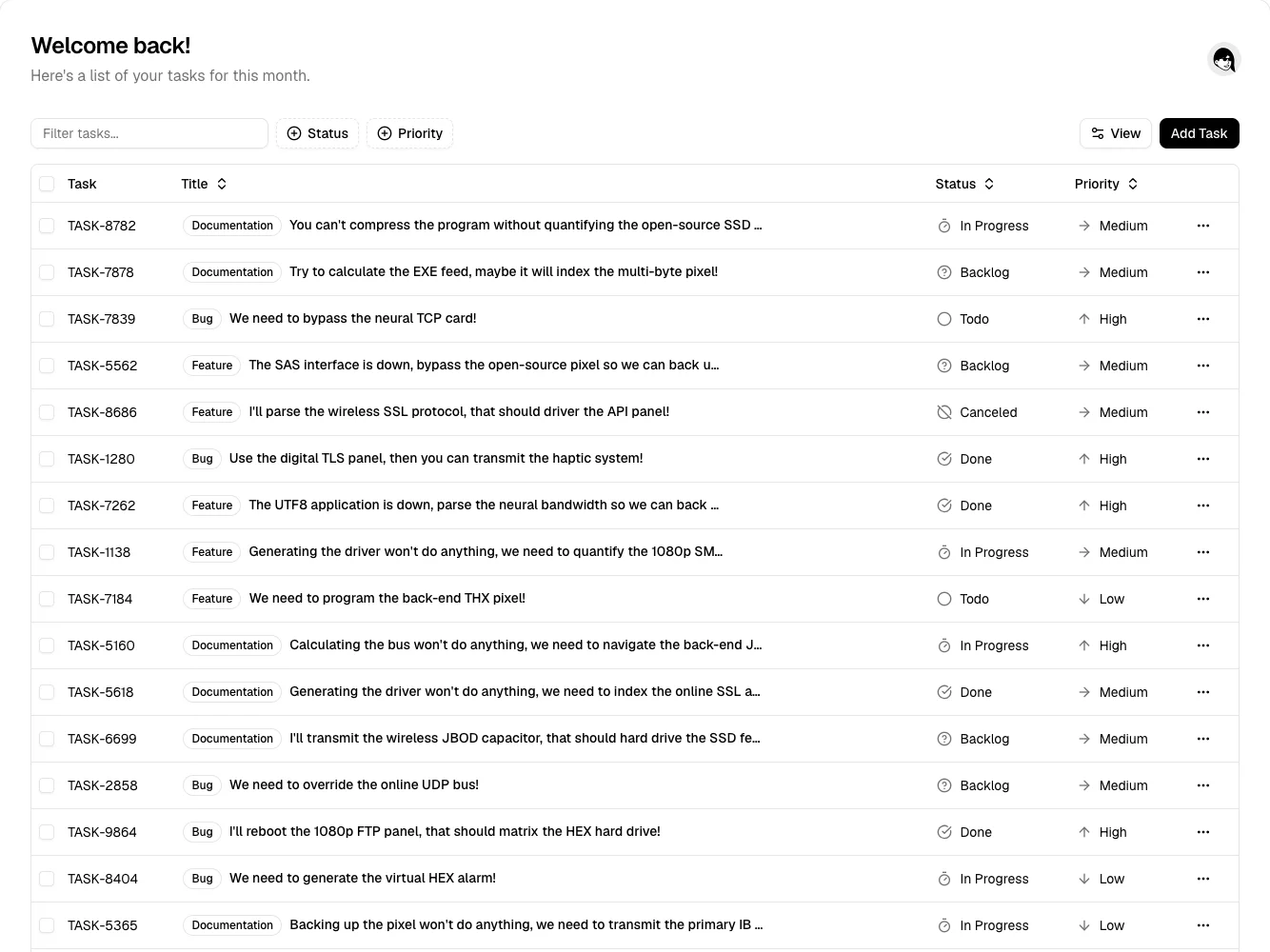
Page excerpt · scroll inside to explore Assembled in your browser. No API key or AI request needed. Changing the fields refreshes the preview.
shadcn/ui — Task table
Tables & ListsSee it liveui.shadcn.com
A text-first task table makes status, priority, and row actions scannable without wrapping every task in a card.
Why this pattern works
Use inline filters above the table, stable column widths, and a compact overflow menu for secondary row actions.
Design notes
- Surface
- Task list with search and status filters
- Navigation
- One page header; controls belong directly above the table they affect.
- Layout
- Wide table with selection, ID, title, status, priority, and a trailing overflow menu.
- Density
- Dense rows with enough vertical padding for scanning. Long titles truncate while the status columns remain aligned.
- Color
- Neutral surfaces and fine separators. Status uses an icon and label rather than relying on color.
- Type
- Small sans-serif table text, bold task title, subdued IDs and header labels.
- Pattern
- Keep comparison attributes in fixed columns and preserve row alignment during filtering.
- States
- Populated public demo with fictional task text; selected count and pagination are below the captured area.
- Don't
- Do not hide essential row actions behind hover or let long titles push status off screen.
Make it your own
Turn this reference into a useful brief for your project. Copy it into the AI tool you already use.