← Back to library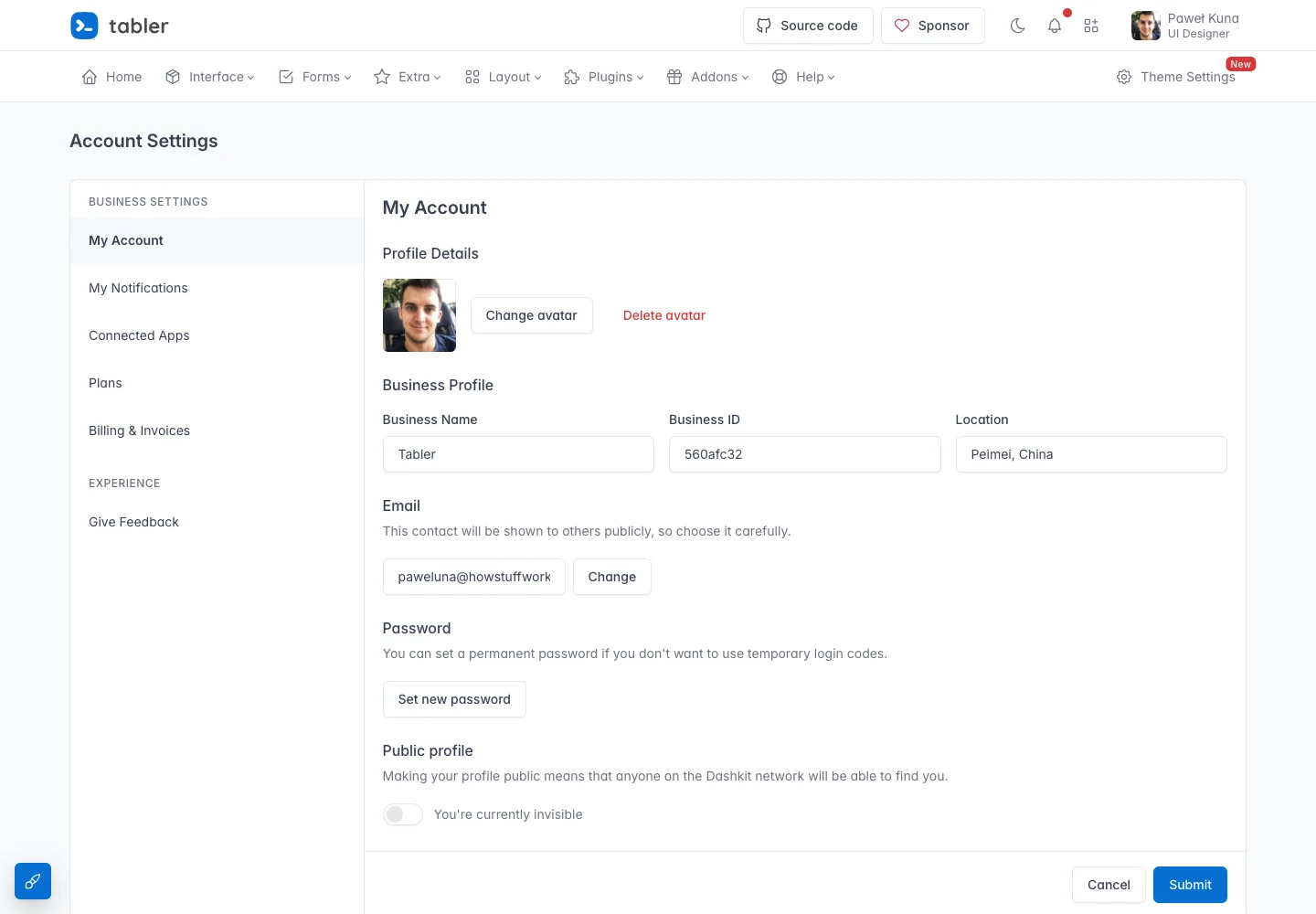
Page excerpt · scroll inside to explore Assembled in your browser. No API key or AI request needed. Changing the fields refreshes the preview.
Tabler — Account settings demo
Forms & OnboardingSee it livepreview.tabler.io
A settings demo groups profile and account controls beside local section navigation.
Why this pattern works
Keep settings sections stable and make the save action clear.
Design notes
- Surface
- Account settings demo
- Navigation
- Local settings navigation remains separate from the global product menu.
- Layout
- A settings section list sits beside a single-column account form.
- Density
- Use consistent spacing within repeated information so headings, values, and secondary details remain easy to compare.
- Color
- Pale gray page, white form surface, and a blue submit action.
- Type
- Use a clear type hierarchy for the page title, primary content, and supporting labels.
- Pattern
- Keep settings sections stable and make the save action clear.
- States
- Public template demo with fictional profile and business details.
- Don't
- Do not copy brand assets or sample records. Preserve keyboard access and design empty, loading, and error states for the actual task.
Make it your own
Turn this reference into a useful brief for your project. Copy it into the AI tool you already use.